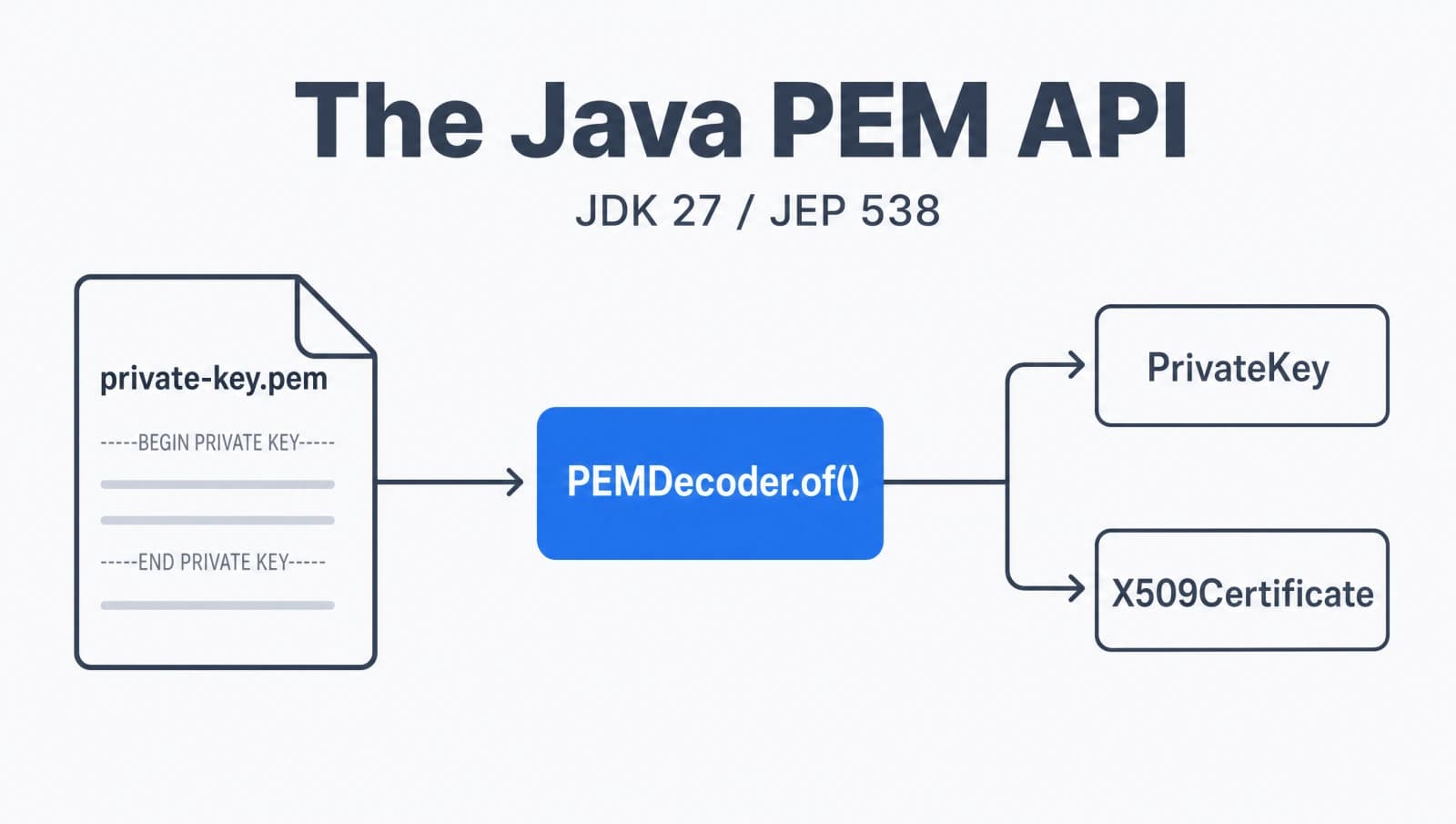

For twenty-five years, the answer to "how do I read a private key from a PEM file in Java" was the same embarrassing dance. Strip the -----BEGIN----- line. Strip the -----END----- line. Kill the newlines. Base64-decode what's left. Wrap it in a PKCS8EncodedKeySpec. Push it through a KeyFactory. Hope you picked the right algorithm string.
I have written that exact block of code in at least four projects. Every time it felt wrong, because it is wrong. PEM is a 30-year-old format with a published spec, and the standard library made me parse it by hand with String.replace.
JDK 27 finally fixes this. JEP 538 ships a real PEM API in java.security: PEMEncoder and PEMDecoder, which read and write keys, certificates, and CRLs without a single replace call. This post covers the old pain in detail, the new two-line replacement, how to encrypt private keys correctly, how to handle files with multiple PEM blocks, and exactly what changed between the preview and the final release. If you have ever managed TLS material in a Java service, like the certificate handling I touched on in my full-stack social identity guide, this is the API you have wanted for a long time.
Why has reading PEM files in Java always been painful?
Reading PEM files in Java was painful because the platform never had a parser for the format, so every key load became manual string surgery. PEM is just Base64-encoded DER wrapped in -----BEGIN X----- and -----END X----- markers, but the JDK gave you no direct way to go from that text to a PrivateKey.
Here is the code I have copy-pasted across projects to load an RSA private key:
// The old way: read a PEM private key by hand
String pem = Files.readString(Path.of("private-key.pem"));
String base64 = pem
    .replace("-----BEGIN PRIVATE KEY-----", "")
    .replace("-----END PRIVATE KEY-----", "")
    .replaceAll("\\s", "");

byte[] der = Base64.getDecoder().decode(base64);
PKCS8EncodedKeySpec spec = new PKCS8EncodedKeySpec(der);
KeyFactory factory = KeyFactory.getInstance("RSA");
PrivateKey key = factory.generatePrivate(spec);Look at everything that can go wrong there. The header text has to match exactly, including whether it says PRIVATE KEY or RSA PRIVATE KEY. You have to know the key is PKCS#8 and not PKCS#1. You have to hardcode "RSA" even though the file itself describes the algorithm. And if the key is encrypted, none of this works at all.
Certificates were slightly less awful, because CertificateFactory does accept PEM-wrapped X.509 input:
// Certificates were tolerable, keys were not
CertificateFactory cf = CertificateFactory.getInstance("X.509");
X509Certificate cert = (X509Certificate) cf.generateCertificate(
new ByteArrayInputStream(Files.readAllBytes(Path.of("cert.pem"))));But there was no single, uniform API. Certificates went through CertificateFactory, keys went through KeyFactory plus manual stripping, CRLs went through yet another path, and encrypted keys meant pulling in Bouncy Castle. That fragmentation is the actual problem JEP 538 solves.
What is the PEM API in JDK 27, and what does it replace?
The PEM API is a pair of classes, PEMEncoder and PEMDecoder in java.security, that convert between PEM text and Java security objects through one consistent interface. JEP 538 finalizes it for JDK 27 after two preview rounds, and it replaces every hand-rolled Base64-stripping routine you have ever written.
The design is small on purpose. Both classes are immutable and you get an instance with a static factory:
PEMDecoder decoder = PEMDecoder.of();
PEMEncoder encoder = PEMEncoder.of();Everything that can be encoded implements a marker interface called BinaryEncodable. The types that implement it are the ones you actually work with:
PrivateKey,PublicKey, andKeyPairX509CertificateandX509CRLEncryptedPrivateKeyInfoPKCS8EncodedKeySpecandX509EncodedKeySpecPEM, a value type that holds a raw block the decoder did not recognize
That single interface is why the API stays tiny. You do not need a different entry point per object type. You decode to the type you expect, or you decode to the interface and pattern-match on what you got.
How do you read a PEM file in Java with PEMDecoder?
You read a PEM file by calling decode with the class you expect back. The typed overload, decode(String, Class<S>), parses the text, Base64-decodes the body, and returns a fully built object of that type.
The four-step ritual from earlier collapses to this:
String pem = Files.readString(Path.of("private-key.pem"));
PrivateKey key = PEMDecoder.of().decode(pem, PrivateKey.class);Two lines, and the decoder figured out the algorithm from the encoding. No KeyFactory, no hardcoded "RSA", no PKCS8EncodedKeySpec.
Certificates and public keys work the same way. You change the Class argument and that is it:
PEMDecoder decoder = PEMDecoder.of();

X509Certificate cert = decoder.decode(certPem, X509Certificate.class);
PublicKey pub = decoder.decode(pubPem, PublicKey.class);
X509CRL crl = decoder.decode(crlPem, X509CRL.class);The difference between the old way and the new way is stark when you put them next to each other.
There is also a decode(InputStream) overload, which matters because you often read this material straight off the classpath or a socket rather than from a String. If the type does not match what the PEM actually contains, the decoder throws rather than handing you a silently wrong object, which is exactly the behavior you want for security material.
How do you write objects to PEM with PEMEncoder?
You write a key or certificate to PEM by passing it to encodeToString, which returns the full PEM text including the header and footer lines. PEMEncoder is the mirror image of the decoder and handles every BinaryEncodable type.
PEMEncoder encoder = PEMEncoder.of();

String certPem = encoder.encodeToString(cert);
String keyPem = encoder.encodeToString(privateKey);
String pubPem = encoder.encodeToString(publicKey);If you need raw bytes instead of a String, for example to write directly to a file or a network buffer, use encode:
byte[] pemBytes = PEMEncoder.of().encode(cert);
Files.write(Path.of("cert.pem"), pemBytes);The encoder picks the correct header label for you. A PrivateKey becomes a PRIVATE KEY block, an X509Certificate becomes a CERTIFICATE block, and so on. You are no longer responsible for getting the boundary text right, which was a real source of bugs when other tools refused to parse a key because the label was slightly off.
How do you encrypt a private key in PEM format?
You encrypt a private key by chaining withEncryption(password) before you encode. The encoder wraps the key as an encrypted PKCS#8 structure, so the PEM you get out is an ENCRYPTED PRIVATE KEY block that is safe to store next to your code.
char[] password = "correct-horse-battery-staple".toCharArray();

String encryptedPem = PEMEncoder.of()
    .withEncryption(password)
.encodeToString(privateKey);The default password-based encryption algorithm is PBEWithHmacSHA256AndAES_128. If your security policy needs a different one, set it through the jdk.epkcs8.defaultAlgorithm security property rather than passing it per call. That keeps the choice in one place instead of scattered through your code.
Reading it back is the symmetric operation. You hand the password to the decoder with withDecryption:
PrivateKey key = PEMDecoder.of()
    .withDecryption(password)
.decode(encryptedPem, PrivateKey.class);For more control, you can work with EncryptedPrivateKeyInfo directly. The encoder accepts it as input, and when you decode an encrypted block without a password, you get one back so you can inspect the algorithm before deciding how to handle it:
BinaryEncodable obj = PEMDecoder.of().decode(encryptedPem);
if (obj instanceof EncryptedPrivateKeyInfo info) {
    PrivateKey key = info.getKey(password);
}This is a real upgrade. Before JDK 27, encrypted PKCS#8 keys were the single biggest reason teams reached for Bouncy Castle. Now it is in the platform.
How do you handle a file with multiple PEM blocks?
You handle multi-block files by decoding to the BinaryEncodable interface instead of a concrete class, then pattern-matching on each result. A chain file or a bundle often holds a private key followed by a certificate followed by a CA chain, and the untyped decode lets you take them one at a time.
BinaryEncodable obj = PEMDecoder.of().decode(pemBlock);

switch (obj) {
    case PrivateKey key -> loadKey(key);
    case X509Certificate cert -> addToChain(cert);
    case X509CRL crl -> registerRevocations(crl);
    case PEM pemBlockData -> log.warn("Unrecognized block: {}", pemBlockData.type());
    default -> throw new IllegalStateException("Unexpected PEM content");
}The PEM case is the interesting one. When the decoder hits a block it does not have a dedicated type for, it does not throw. It gives you a PEM object that exposes the raw pieces: the type() (the label between the dashes), the Base64 content(), and any leadingData() that appeared before the block. That last part matters for real-world files, which frequently carry human-readable comments above the actual PEM.
So you can round-trip even content the JDK does not understand natively, which means the API does not lock you out of custom or newer PEM labels. That is a thoughtful piece of design for a security API that has to live for decades.
What changed between the preview and the final PEM API?
The biggest changes are three renames that landed when JEP 538 finalized the API, so preview code from JDK 25 and 26 needs small edits. If you tried this during preview, the concepts are identical but a few names moved.
The renames:
- The encodable interface was called
DEREncodablein the previews. It is nowBinaryEncodable. - The catch-all type was a record named
PEMRecord. It is now an ordinary class namedPEM, which let the team add constructors that take Base64 byte arrays with proper defensive copying. PEMDecoder.withFactory(Provider)becamewithFactoriesOf(Provider).
The release path explains the polish. The feature previewed as JEP 470 in JDK 25, came back as a second preview (JEP 524) in JDK 26, and is final as JEP 538 in JDK 27. As of late May 2026 it sits at Proposed to Target for 27, with the finalization review closing.
If you are on JDK 25 or 26 and want to try it today, you compile and run with preview features enabled:
javac --release 26 --enable-preview PemDemo.java
java --enable-preview PemDemoOn JDK 27 you drop both flags, because the API is a permanent part of the platform. That is the whole point of the two-preview cadence: the API got two rounds of real feedback before it became something you cannot change.
Should you adopt the Java PEM API right away?
Yes, the moment you are on JDK 27, because the manual approach is not just ugly, it is a security liability. Every hand-rolled parser is a place where you can mismatch an algorithm, mishandle an encrypted key, or accept malformed input you should have rejected. Moving that logic into the platform means it gets the same scrutiny as the rest of java.security.
The thing I keep coming back to is how long we tolerated the old way. PEM parsing was a rite of passage, a snippet everyone carried in their head, and that is exactly the kind of code that should never have been ours to write. If JDK 27 is in your future, delete your PEM helper class the day you upgrade. You will not miss it.
For the full specification and reference, see the JEP 538: PEM Encodings of Cryptographic Objects, the JDK 25 security enhancements writeup by the JDK security lead, and the InfoQ Java News Roundup tracking the finalization.
Keep Reading
- Java 26 HTTP/3 in the HttpClient: the other half of modern Java networking, where the keys and certificates you load with the PEM API actually get used for TLS.
- Full-Stack Social Identity with Spring Security and Next.js: a real auth flow where certificate and key handling shows up in production.
- Modern Java Development with Java 21+ and Spring Boot: more recent language and platform features worth folding into your services.