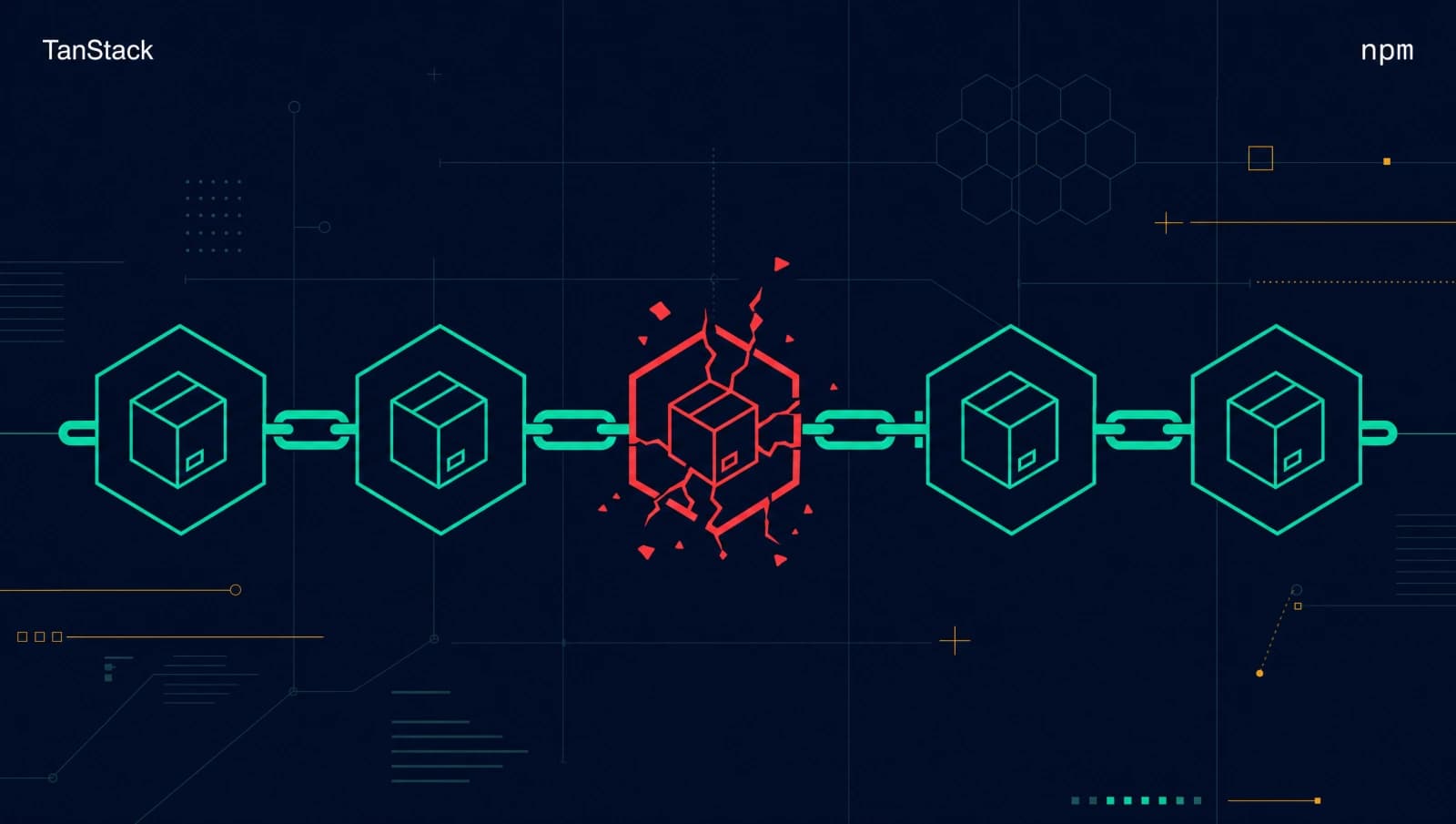

At 19:20 UTC on May 11, 2026, npm received the first batch of 42 malicious package versions from the official @tanstack namespace. Six minutes later, the second batch landed. Twenty minutes after that, an external researcher posted a full technical analysis to the TanStack repo. By the time most of Europe woke up, 84 versions across 42 packages were already deprecated.
The packages were not published by an attacker who stole credentials. They were published by TanStack's legitimate release pipeline, signed with valid SLSA Build Level 3 provenance, attested through Sigstore, and pushed using a freshly minted OIDC token. Every supply-chain control we have been recommending for the past three years worked exactly as designed. And it did not matter.
I run my own published package on Maven Central (sanitizer-lib) and I use TanStack Router in client projects. So this one stings personally. Let me walk you through what actually happened, why our defenses missed it, and what every CI maintainer needs to change before the next round.
What happened in the TanStack supply chain attack?
The TanStack supply chain attack is a multi-stage compromise that ran the malicious code through TanStack's own legitimate release infrastructure to publish 84 backdoored npm package versions across 42 packages in the @tanstack/* namespace. It then wormed into more than 170 downstream packages including @mistralai/mistralai (2.2.2 through 2.2.4), 40+ packages in the UiPath namespace, and 19 aviation data packages in @squawk.
For scale: @tanstack/react-router alone pulls roughly 12.7 million weekly downloads. If you are doing modern React routing in 2026, there is a decent chance you sat in the blast radius.
The incident is being tracked as CVE-2026-45321 and GHSA-g7cv-rxg3-hmpx. The threat group is TeamPCP, also known as DeadCatx3, PCPcat, ShellForce, and CipherForce. This is the same crew that compromised Aqua Security's Trivy scanner in March 2026 and the Bitwarden CLI npm package in April. Researchers at Wiz, Snyk, and StepSecurity collectively named this family "Mini Shai-Hulud" because it borrows the worm-like republish pattern from the original September 2025 Shai-Hulud incident.
Here is the compressed timeline.
| Time (UTC) | What happened |
|---|---|
| May 10, 17:16 | Attacker creates the fork github.com/zblgg/configuration |
| May 10, 23:29 | Malicious commit 65bf499d lands, authored as claude <claude@users.noreply.github.com> to look legitimate |
| May 11, 10:49 | PR #7378 opened against TanStack/router |
| May 11, 11:11 to 11:29 | Force-pushes trigger pull_request_target workflows, GitHub Actions cache gets poisoned |
| May 11, 11:31 | PR closed, fork branch deleted (cleanup) |
| May 11, 19:15 | Release workflow re-runs against main, restores the poisoned cache |
| May 11, 19:16 | Fresh release triggered by merge of PR #7382 |
| May 11, 19:20 | npm receives first batch of 42 malicious versions |
| May 11, 19:26 | npm receives second batch of 42 versions |
| May 11, 19:46 | StepSecurity researcher ashishkurmi opens issue #7383 with full IOCs |
| May 11, 20:19 | TanStack begins deprecation |
| May 11, 21:03 | All 84 versions deprecated |
| May 11, 22:13 to 23:55 | npm removes tarballs registry-side |
| May 12, 05:02 | Formal IOC list sent to npm and GitHub Security |
Notice something. The fork and the malicious commit were prepared a full day before the payload went live. The release was not a spontaneous event. It was held in the cache, dormant, waiting for the next legitimate release workflow run.
How did the attacker chain three GitHub Actions vulnerabilities?
The attack works by stacking three flaws that are each well-documented in isolation. Combined, they let attacker code execute inside the release workflow's trust boundary without ever touching the production branch.
The first link: pull_request_target abuse
GitHub's pull_request_target event trigger runs workflows in the base repository's context, not the fork's context. That is by design. It exists so that workflows can apply labels, post comments, or check size budgets on incoming PRs without requiring maintainer approval. The trade-off is that any code those workflows execute has access to the base repo's secrets.
The TanStack bundle-size.yml workflow used pull_request_target and then executed fork-controlled code inside it. This pattern is so common and so dangerous that it has a name: the "Pwn Request" pattern. The attacker did not have to do anything clever here. They submitted a PR that swapped out a setup script with a malicious version, and the workflow happily ran it with full repository privileges.
If you maintain any open-source repository on GitHub, run this right now:
grep -rE "pull_request_target" .github/workflows/Then audit each match. The rule is simple: either do not check out fork code in pull_request_target workflows, or check it out into an isolated job that has no access to secrets and no permission to write to the cache.
The second link: GitHub Actions cache poisoning
This is the cleverest part of the chain. The attacker did not need to keep their code in the repo. They needed to leave it in the cache.
GitHub Actions caches are scoped by branch by default, but pull requests inherit access to base-branch caches. The cache key is deterministic. For pnpm, it looks like Linux-pnpm-store-${hashFiles('**/pnpm-lock.yaml')}. The attacker pre-computed the exact key that the legitimate release.yml workflow would use after merging a future PR. That key was:
Linux-pnpm-store-6f9233a50def742c09fde54f56553d6b449a535adf87d4083690539f49ae4da11
The malicious vite_setup.mjs in the attacker's PR wrote a tampered pnpm store under that key. When the PR was closed, the cache entry stayed. It sat there for hours. When a legitimate release workflow later ran on main, it restored that cache as part of its normal install step. The poisoned store contained the malicious binaries the attacker needed for the next stage.
A critical detail from the TanStack postmortem: cache writes use a runner-internal token, not the workflow's GITHUB_TOKEN. That means standard permission boundaries do not apply. Restricting GITHUB_TOKEN to read-only does nothing for this attack vector.
The third link: OIDC token theft from runner memory
This is the part that crossed every line I thought we still had.
When a GitHub Actions runner needs to publish to npm using trusted publishing, it requests a short-lived OIDC token from GitHub. That token is minted in memory, used to authenticate the publish, and then discarded. It is never written to disk. It never appears in environment variables that a child process can read. The runner generates it, uses it, throws it away.
Or so we thought.
The attacker's binaries, restored from the poisoned cache, did something that the original tj-actions compromise in March 2025 first demonstrated at scale. They read /proc/<pid>/maps to find the memory regions of the Runner.Worker process. Then they read /proc/<pid>/mem directly to scrape the OIDC token out of process memory while the runner was alive and authenticated.
Once they had the token, they did not need any other credential. They sent direct HTTPS POST requests to registry.npmjs.org from the runner, authenticated as TanStack's release pipeline, with a valid SLSA attestation generated by Sigstore as a normal byproduct of the OIDC flow. The result was 84 malicious package versions that look indistinguishable from legitimate releases, because in every technical sense they were legitimate releases. The pipeline that built and published them was the real one. The code it pulled out of the cache was not.
Why did SLSA provenance fail to protect downstream consumers?
Here is the part that broke my brain for a few hours.
SLSA Build Level 3 is the gold standard we have been telling teams to demand from upstream dependencies. The attestations on these 84 packages were valid. Sigstore verified the build process correctly. The provenance chain pointed to the actual TanStack repository, the actual release workflow run, and the actual GitHub Actions runner. Every signature checked out.
So what did the provenance actually attest to?
It attested that the build ran inside GitHub Actions, from the canonical TanStack/router repository, in a workflow defined in that repo, using a runner with a verifiable identity. All of that was true. The attestation does not, and cannot, attest that the code the build pipeline executed was the code in the repository. It only attests to the pipeline.
In normal operation, those two are the same thing. The pipeline checks out the repo, the repo is the code, the code gets built. But when an attacker can inject code into the pipeline through a side channel (in this case, the cache), the pipeline is no longer building what the repo contains. It is building a hybrid. SLSA says nothing about the inputs the pipeline pulled from outside the source tree.
This is the lesson I want every AppSec team to take from this incident. Provenance answers the question "was this built from the canonical repo in a controlled environment?" It does not answer "is the code in this package safe?" Those used to be the same question for practical purposes. They are no longer.
What does this mean operationally? You still want SLSA. You still want OIDC trusted publishing. You still want Sigstore. But you need behavioral analysis at install time as a complementary control. Sandboxed installs that inspect what postinstall scripts actually do, what network connections they make, what files they touch. Static and dynamic analysis of the published artifact, not just verification of its origin. I covered this exact pattern in my earlier post on AI-driven anomaly detection for security, and the TanStack incident is the strongest argument for it I have seen.
How does the gh-token-monitor dead-man switch work?
The malicious payload installed on infected machines is roughly 2.3 MB after the obfuscation layers come off. The file is router_init.js and its SHA256 is ab4fcadaec49c03278063dd269ea5eef82d24f2124a8e15d7b90f2fa8601266c. It uses three obfuscation layers stacked on top of each other.
The first layer is JavaScript Obfuscator string-array rotation, the kind of thing you find in any commercial obfuscation product. The second is a Fisher-Yates substitution cipher seeded by PBKDF2-SHA256 with the salt svksjrhjkcejg. The third is eleven AES-256-GCM encrypted payloads that require the Bun runtime to decrypt, which is why the malware installs Bun on the target machine if it is not already present.
Once everything decrypts, the payload harvests credentials. The scope is brutal. AWS IMDSv2 metadata endpoints, AWS Secrets Manager keys, GCP metadata server tokens, Azure managed identity tokens, Kubernetes service account tokens, HashiCorp Vault tokens, GitHub Actions secrets, GitLab CI tokens, CircleCI tokens, .npmrc files, SSH private keys, and (worth calling out because it is new) Claude Code session history files from .claude/projects/*.jsonl. That last one tells me the threat actor is paying attention to where developers actually keep their secrets in 2026, not where the OWASP guides from 2018 said they would be.
But the part that should make you nervous is what happens after the credentials are out the door. The malware installs a persistence daemon called gh-token-monitor.
On macOS, the daemon registers as a LaunchAgent at:
~/Library/LaunchAgents/com.user.gh-token-monitor.plist
On Linux, it registers as a systemd user service at:
~/.config/systemd/user/gh-token-monitor.service
The daemon polls GitHub every 60 seconds, checking whether the stolen credentials still work. If it detects that the GitHub token has been revoked (the obvious first response from any incident-response team), it triggers a destructive payload. On the affected machines, that payload was an attempt to run rm -rf ~/ against the user's home directory.
The good news is that on modern Linux distributions, rm refuses to operate on / or ~/ without the --no-preserve-root flag, so the actual destruction is limited in many cases. But "many" is not "all", and you do not want to find out which version of rm your laptop is shipping when you are already mid-incident.
The implication is operational. If you suspect a compromise, do not rotate the GitHub token first. Find and remove the gh-token-monitor daemon first, then rotate. This is the opposite of every incident-response playbook I have ever seen.
The malware also drops persistence hooks into editor config directories. On the systems Wiz analyzed, it wrote router_runtime.js into .claude/ and added entries to .claude/settings.json, and dropped setup.mjs plus a malicious task entry in .vscode/tasks.json. The point is that even after you remove the daemon and rotate credentials, the next time you open the project in your editor, the hooks can reinstall everything. Audit those directories explicitly.
What should you do if you installed an affected version?
Order matters here. If you installed an affected version, follow these steps in this exact sequence.
First, find the daemon. Run these checks on every developer machine and CI runner that touched the compromised packages between May 11 and your last clean restore.
# macOS
launchctl list | grep gh-token-monitor
ls -la ~/Library/LaunchAgents/com.user.gh-token-monitor.plist

# Linux
systemctl --user list-units | grep gh-token-monitor
ls -la ~/.config/systemd/user/gh-token-monitor.service

# Either OS
find ~ -name "router_init.js" 2>/dev/null
find ~ -name "router_runtime.js" 2>/dev/nullSecond, kill the daemon before doing anything else.
# macOS
launchctl unload ~/Library/LaunchAgents/com.user.gh-token-monitor.plist
rm ~/Library/LaunchAgents/com.user.gh-token-monitor.plist

# Linux
systemctl --user stop gh-token-monitor
systemctl --user disable gh-token-monitor
rm ~/.config/systemd/user/gh-token-monitor.service
systemctl --user daemon-reloadThird, remove the editor hooks.
# Check what was added
cat .claude/settings.json
cat .vscode/tasks.json

# Remove the malicious entries by hand. Do not run a script you do not understand.Fourth, audit your lockfile. Search for any of the 84 affected versions. The headline versions to check first are @tanstack/react-router@1.169.5 and @1.169.8, @tanstack/vue-router@1.169.5 and @1.169.8, and @tanstack/solid-router@1.169.5 and @1.169.8. The full list lives in the official advisory.
grep -E "@tanstack/.*1\.169\.(5|8)" package-lock.json pnpm-lock.yaml yarn.lock 2>/dev/nullFifth, rotate every credential the malware could have touched. That means npm tokens, GitHub personal access tokens, GitHub Actions OIDC trust configurations, AWS access keys, Vault tokens, Kubernetes service account tokens, SSH keys, and any provider-specific secrets stored in ~/.aws, ~/.gcloud, ~/.kube, or ~/.npmrc.
Sixth, block the C2 infrastructure at your DNS or proxy layer.
git-tanstack.com         # typosquat
filev2.getsession.org    # Session messenger exfil
seed1.getsession.org
seed2.getsession.org
seed3.getsession.org
83.142.209.194           # primary C2 IP
Seventh, scan for the campaign string EveryBoiWeBuildIsAWormyBoi in any process memory, log file, or repository content. It is the easiest reliable IOC the malware leaves behind.
If you handled the Axios npm compromise from March 2026, most of this routine will feel familiar. The key difference is the order: there, you could rotate credentials first because the malware did not retaliate. Here, retaliation is the whole point of the persistence layer.
How do you harden your own GitHub Actions workflows against this?
Even if you never touched a TanStack package, the techniques used in this attack apply to any repository that uses pull_request_target and any organization that publishes to npm via OIDC trusted publishing. Which, increasingly, is every JavaScript shop in production.
Here is what I have changed in my own workflows since reading the TanStack postmortem.
Audit every pull_request_target workflow. For each one, ask: does this workflow execute fork-controlled code? If yes, either remove the fork-code execution or split the workflow into two: an untrusted "read fork code" job that runs without any secrets, and a trusted "act on results" job that runs separately. Pass data between them only as strict, validated outputs.
Guard against fork pushes. Add an early job that bails out if the PR is from a non-trusted source, before any setup steps run.
jobs:
  guard:
    runs-on: ubuntu-latest
    steps:
      - name: Block fork PRs from privileged workflow
        if: github.event.pull_request.head.repo.full_name != github.repository
        run: |
          echo "Refusing to run privileged workflow on fork PR"
exit 1Pin every third-party action to a commit SHA. Tags can be moved. SHAs cannot.
# Don't do this
- uses: actions/checkout@v4

# Do this
- uses: actions/checkout@692973e3d937129bcbf40652eb9f2f61becf3332 # v4.1.7Separate cache namespaces. Use different cache keys for PR workflows and release workflows so a poisoned PR cache cannot be restored by a release run.
- uses: actions/cache@0c45773b623bea8c8e75f6c82b208c3cf94ea4f9 # v4.0.2
  with:
    path: ~/.pnpm-store
key: ${{ github.workflow }}-pnpm-${{ hashFiles('**/pnpm-lock.yaml') }}That ${{ github.workflow }} prefix means PR workflows and release workflows have disjoint cache namespaces.
Require manual approval on publish. OIDC trusted publishing is excellent, but the lack of per-publish human review is the weakest point in the chain. Configure your release workflow as an environment with required reviewers, even for trusted maintainers. A 30-second approval check would have stopped this entire attack.
Reduce the maintainer surface. Every additional human with publish rights is a credential-theft target. Trim the publisher list on your npm scope to the smallest number that keeps the project healthy. The TanStack postmortem flags this as one of their own action items.
Enable a release-age cooldown. Set min-release-age in your .npmrc to delay adopting newly published versions. Seven days is the common recommendation. It does not protect you from a slow-burn attack, but it gives the ecosystem time to catch a fast-detonating one.
# .npmrc
min-release-age=10080  # 7 days in minutes
If you run a microservices environment, treat your CI runners with the same zero-trust posture you apply to production workloads. The pattern I described in my zero-trust microservices post applies just as much to GitHub Actions as it does to Kubernetes.
What does this mean for the future of npm trust?
Here is the part that worries me.
For three years, we have been telling teams that the answer to supply chain attacks is provenance. Sign your packages. Publish via OIDC. Demand SLSA Build Level 3. The TanStack incident is the first one where every single one of those defenses worked, and the attack still succeeded.
This is not a reason to abandon any of them. They still raise the cost for attackers and they still help in the median case, which is credential theft. But they are no longer sufficient on their own, and anyone telling you otherwise is selling something.
What I think changes from here:
Cache infrastructure is now part of the trusted compute base. Treat GitHub Actions caches as input that needs the same scrutiny as source code. Cache poisoning is not a theoretical concern anymore; it is a documented attack pattern with a real CVE attached to it.
Runtime install-time analysis matures from optional to required. Tools like Socket, Snyk, and StepSecurity that watch what packages do during installation are no longer "nice to have" for security-conscious shops. They are the only practical defense against this class of attack, because they evaluate the behavior of the artifact, not its origin.
The npm registry's "no unpublish if dependents exist" policy needs revisiting. In the TanStack incident, that policy delayed full tarball removal by hours. For verified maintainer-initiated incident response, there needs to be a faster path. The postmortem flags this explicitly.
OIDC trusted publishing needs per-publish review. The current model authenticates the pipeline, not the publish event. A 30-second human approval step before a token is minted would have stopped this attack cold. I expect to see this as a configurable option within the next 12 months.
The TanStack team's response to this was, by every measure I can find, excellent. Detection within 26 minutes. Full deprecation in under two hours. Public disclosure on the same day. They did everything right. And the attack still landed 84 malicious package versions onto npm with valid provenance.
That is the message. The defenders are not slow. The attackers are not lazy. We are watching a category of attack that operates inside our trust boundaries, and the answer is not better trust boundaries. It is treating every artifact as untrusted until proven safe, every time.
For more on this campaign, see the TanStack official postmortem, the Wiz Mini Shai-Hulud analysis, the Snyk technical breakdown, the official GitHub Security Advisory GHSA-g7cv-rxg3-hmpx, and the related StepSecurity report on node-ipc.
Keep Reading
- The Axios npm Hack: How North Korea Hijacked 100M Weekly Downloads: the March 2026 incident that set the stage for the OIDC-vs-SLSA conversation.
- AI-Driven Anomaly Detection for Security: behavioral analysis at install time is the only practical defense against pipeline-hijack attacks.
- Zero-Trust Microservices with Spring Security: apply the same zero-trust posture to CI runners that you apply to production services.