
On May 19, 2026, a compromised npm maintainer account named atool published 637 malicious versions across 317 packages in a single 22-minute burst. That number is not a typo. The hit list included size-sensor (4.2 million weekly downloads), echarts-for-react (3.8 million), and @antv/scale (2.2 million). GitHub had to invalidate 61,274 npm tokens with write permissions and 2FA bypass to stop the bleeding.
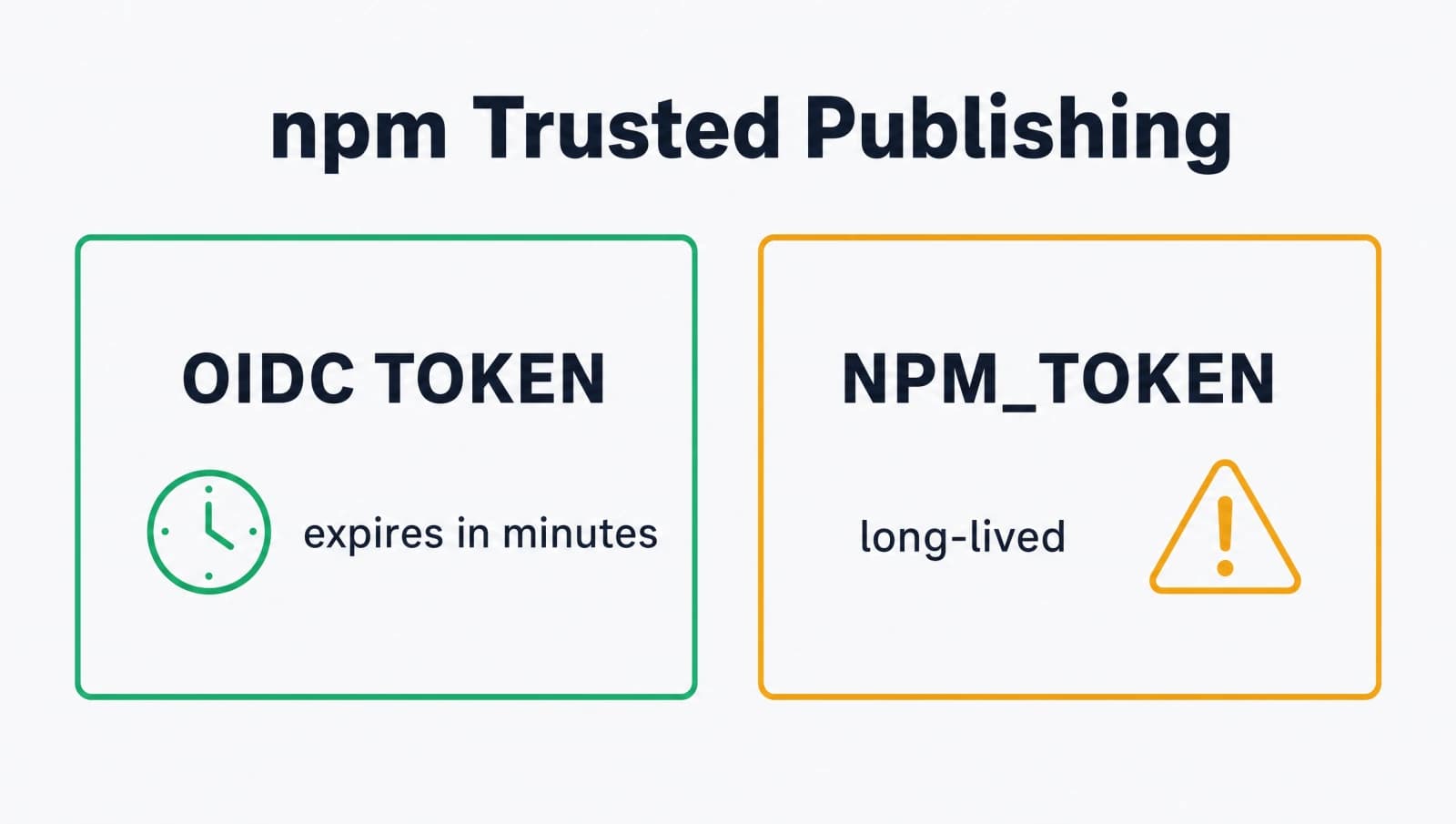
I read the Microsoft Security postmortem the morning after and the root cause stuck with me. Every one of those packages had a long-lived NPM_TOKEN somewhere. Once the attacker had the token, they could republish from a laptop in a coffee shop and the registry would accept it.
There is a fix for this and it has been generally available since 2025. It is called npm trusted publishing, and it replaces stealable tokens with short-lived OIDC tokens minted by your CI provider per workflow run. This post walks through the full setup with GitHub Actions, end to end, including the cleanup step most teams skip.
What is npm trusted publishing and why does it matter in 2026?
npm trusted publishing is a credential-free publishing flow where your package authenticates to the npm registry using an OIDC token issued by a pre-approved CI provider, not a token you store in secrets.NPM_TOKEN. GitHub Actions, GitLab CI, CircleCI, and Buildkite are the supported providers today.
The flow is roughly this. When your workflow runs, it asks GitHub's OIDC provider for a signed JWT. That JWT contains claims like repository, workflow, and ref. The npm CLI sends the JWT to the npm registry. The registry checks the claims against the trusted publisher you configured on npmjs.com for that package. If they match, the publish succeeds.
There is no shared secret. No NPM_TOKEN. No long-lived bearer token sitting in your GitHub secrets waiting to be exfiltrated by a malicious prepare script. The OIDC token is minted on demand, scoped to one workflow run, and expires in minutes.
In 2026 this stopped being optional. The Mini Shai-Hulud worm hit the TanStack ecosystem on May 11 and the @antv ecosystem on May 19, both via stolen credentials. The earlier axios npm compromise used the same playbook. Every one of these incidents had the same root primitive: a stealable, long-lived publish token.
Trusted publishing also gives you build provenance for free. Public packages published this way get a SLSA Build Level 3 attestation showing exactly which repository, commit, and workflow produced the artifact. Consumers can verify it with npm view <pkg> --json and inspect dist.attestations.
Which versions of npm and Node.js support trusted publishing?
You need npm CLI 11.5.1 or later and Node.js 22.14.0 or higher. Both are documented as hard floors on the official npm docs page.
The simplest way to check what you have is to run this on a runner image you use:
node --version
npm --versionIf you run an older version, the publish step fails with an authentication error. There is no graceful fallback to OIDC. Older npm does not understand the new flow at all.
A few practical notes from setting this up across half a dozen packages:
- The Ubuntu 24.04 runner image already ships Node 20 and npm 10 by default. You must use
actions/setup-node@v6(not v4 or v5) to pin a version that supports trusted publishing. - Self-hosted runners are not currently supported. Only cloud-hosted GitHub-hosted runners can issue OIDC tokens that the npm registry accepts.
- Each package can only have one trusted publisher configured at a time. If you maintain a monorepo that ships multiple packages, you configure trusted publishing on each package's settings page separately.
The actions/setup-node v6 action handles the npm upgrade automatically when you pin node-version: '24'. That single line pulls in npm 11.x.
How do you configure the trusted publisher on npmjs.com?
Configuration happens once per package, in the npmjs.com web UI, before you ever touch your workflow file. The order matters. If you flip the workflow first and have not configured the publisher, the publish call fails and you scratch your head for an hour.
Walk through this in a browser:
- Log in to
npmjs.com. Open the package settings page athttps://www.npmjs.com/package/<your-package>/access. - Scroll to the Trusted Publisher section.
- Click GitHub Actions.
- Fill in five fields, in order:
- Organization or user: your GitHub org or username (the part before the slash in
org/repo). - Repository: just the repo name, without the org prefix.
- Workflow filename: the filename only, with the
.ymlor.yamlextension. For example,publish.yml. Do not include the path. Do not include the.github/workflows/prefix. - Environment name (optional but recommended): the name of a GitHub Environment if you want to require deployment protection rules. I use
npm-publishfor this and gate it on a required reviewer. - Allowed actions: tick
npm publish,npm stage publish, or both. For most packages, justnpm publish.
- Organization or user: your GitHub org or username (the part before the slash in
- Click Save.
The trust is pinned to the exact org/repo/workflow-filename triple. If you rename the workflow file later, publishing breaks. If you fork the repo, the fork cannot publish. If someone tries to publish from a different repository, the registry rejects the OIDC token.
This is the entire point. A stolen token from any machine cannot satisfy these claims, because the claims come from GitHub's OIDC provider and are signed.
What does the GitHub Actions workflow look like?
Here is a complete .github/workflows/publish.yml that publishes on a v* tag push. Drop this into your repo, adjust the test step, and commit.
name: Publish to npm

on:
  push:
    tags:
      - 'v*'

permissions:
  id-token: write
  contents: read

jobs:
  publish:
    runs-on: ubuntu-latest
    environment: npm-publish
    steps:
      - uses: actions/checkout@v5

      - uses: actions/setup-node@v6
        with:
          node-version: '24'
          registry-url: 'https://registry.npmjs.org'
          package-manager-cache: false

      - run: npm ci
      - run: npm test
- run: npm publish --access publicThree lines do the actual work and they all need to be exactly right.
permissions: id-token: write is the line that unlocks OIDC. Without it, GitHub Actions will not issue an OIDC token to the runner, and npm publish falls back to looking for NPM_TOKEN, which is not there, and fails. This permission must be at the job level or workflow level. Job level is safer because it scopes the OIDC capability to only the publish job.
registry-url: 'https://registry.npmjs.org' tells setup-node where to point the .npmrc it creates on the runner. This is what wires up npm publish to talk to the public registry. If you publish to a private registry instead, change this URL.
package-manager-cache: false disables the setup-node built-in npm cache. This is a recommendation from the npm docs specifically for release builds. The cache can mask reproducibility issues by pulling stale tarballs, and on a release run you want a clean install every time.
A few intentional choices in this file worth calling out:
- I use
environment: npm-publishto gate the job on a required reviewer. The OIDC token is only minted after the reviewer approves the deployment. This is what stops a force-pushed tag from publishing. - The trigger is a tag push, not a branch push. Tags are immutable. Branches are not. If you publish on every
mainpush, an attacker who lands a malicious commit on main can ship to npm before anyone notices. With a tag trigger, you need to also push a tag, which requires a separate manual action. - There is no
NODE_AUTH_TOKEN, nosecrets.NPM_TOKEN, no.npmrcwrite step. setup-node v6 handles the OIDC handshake transparently whenid-token: writeis set.
Push a tag and watch the workflow run. The publish step should succeed and the npm registry page for your package should show a green provenance badge.
How do you remove long-lived tokens after trusted publishing works?
Trusted publishing only stops attacks if you delete the old tokens. This is the step most teams skip. They configure trusted publishing, see the green badge, ship a release, and leave the old NPM_TOKEN sitting in GitHub secrets and the automation token enabled on npmjs.com. Now they have two ways in and one of them is still stealable.
Do this in the same browser session you used to configure trusted publishing:
- On the npm package page, go to Settings then Publishing access.
- Select Require two-factor authentication and disallow tokens.
- Save.
This setting means the registry will refuse any publish attempt that does not come from a trusted publisher or a maintainer with 2FA-verified web access. Even a leaked automation token cannot publish anymore.
Then revoke the actual token:
- Click your avatar then Access tokens.
- Find any automation token that was used for publishing this package.
- Click Revoke on each.
Finally, clean up GitHub secrets:
- In the repo, go to Settings then Secrets and variables then Actions.
- Delete
NPM_TOKENfrom the repository secrets and any environment secrets where it lived.
Run one more publish via the workflow to confirm nothing was relying on the deleted secret. If your workflow file still references NODE_AUTH_TOKEN or secrets.NPM_TOKEN anywhere, remove those references. The new flow does not need them.
What are the limitations of npm trusted publishing today?
Trusted publishing has real edges and you need to know them before you commit. The docs are honest about what is and is not supported.
- Self-hosted runners are not supported. Only cloud-hosted GitHub-hosted runners can issue OIDC tokens the npm registry accepts. If you run a release pipeline on your own infrastructure, trusted publishing is not yet an option for that workflow.
- One trusted publisher per package. You cannot have both GitHub Actions and GitLab CI as trusted publishers for the same package. Pick one. Multi-CI publishing remains a token-based flow.
- Provenance generation requires a public repo and a public package. If you publish a private package, the publish itself works fine over OIDC, but the SLSA Build Level 3 attestation is not generated. This is a GitHub-side restriction on which workflows can sign provenance.
- CircleCI does not get auto-provenance. It is a supported trusted publisher but provenance generation is not currently supported there.
- Other npm commands still need tokens.
npm install,npm view, andnpm accesscalls against a private registry still need a token. Trusted publishing only covers the publish path.
The biggest practical edge is the self-hosted runner constraint. I have one project on a self-hosted runner for compliance reasons and we run the publish job in a separate workflow on a cloud-hosted runner specifically to get trusted publishing. The build still happens on the self-hosted runner. Only the final publish step runs on a GitHub-hosted runner.
How does trusted publishing change the attack surface?
Trusted publishing closes one attack class cleanly and leaves another wide open. Know which is which before you ship.
What it stops: any attacker who steals an NPM_TOKEN from a developer machine, a leaked .npmrc, a logging system, a stack trace, or a compromised CI environment cannot publish anymore. The token they stole is not what the registry checks. The registry checks an OIDC claim that only a real GitHub Actions runner inside the configured repo can produce.
What it does not stop: an attacker who lands a commit on your repository. The malicious commit can ride through your trusted publishing workflow and ship to npm with a valid SLSA Build Level 3 attestation. This is exactly what the TanStack worm did on May 11, 2026. The attestation was real. The commit it attested to was malicious. Provenance proves where a package was built, not whether the source was trustworthy.
To close the second class, pair trusted publishing with these:
- Branch protection on
main(and any tag pattern you publish from) requiring pull request reviews from a different account than the author. - Required reviewers on the GitHub Environment that gates the publish job. This is why I use
environment: npm-publishin the workflow above. - Tag-trigger only. Do not publish on every main push. Require a separate tag push that a human has to perform.
- Dependency review on PRs. Catch malicious
package.jsonpreparehooks or new transitive deps before they hit the publish job. GitHub's dependency-review-action is one option.
Trusted publishing is the floor, not the ceiling. It removes the easy attack. The hard attack still works and you defend against it with code review, environment gates, and tag-based release discipline.
What should you do this week?
I do not think trusted publishing is the last credential change npm will ship. Provenance is still optional, the self-hosted runner gap is real, and the cross-CI story is messy. But the credential-free publish flow is the most useful security upgrade npm has shipped in a decade, and the cost to adopt is one configuration screen plus a small workflow change.
If you publish anything to npm, set this up this week. Then delete the old token. Then do not publish a package without it ever again.
For more on this, see the official npm trusted publishing docs, the Microsoft Security postmortem on the AntV compromise, and the StepSecurity analysis of the AntV wave.
Keep Reading
- TanStack npm Supply Chain Attack: How the May 11 Compromise Worked. The first npm worm to ship with valid SLSA provenance. Explains why OIDC tokens alone are not enough.
- Axios npm Supply Chain Attack 2026: What Happened and How to Defend. Earlier incident in the same playbook. Useful prior art on token-theft attacks.
- AI-Driven Anomaly Detection for Supply Chain Security. Detection complement to the prevention story in this post.