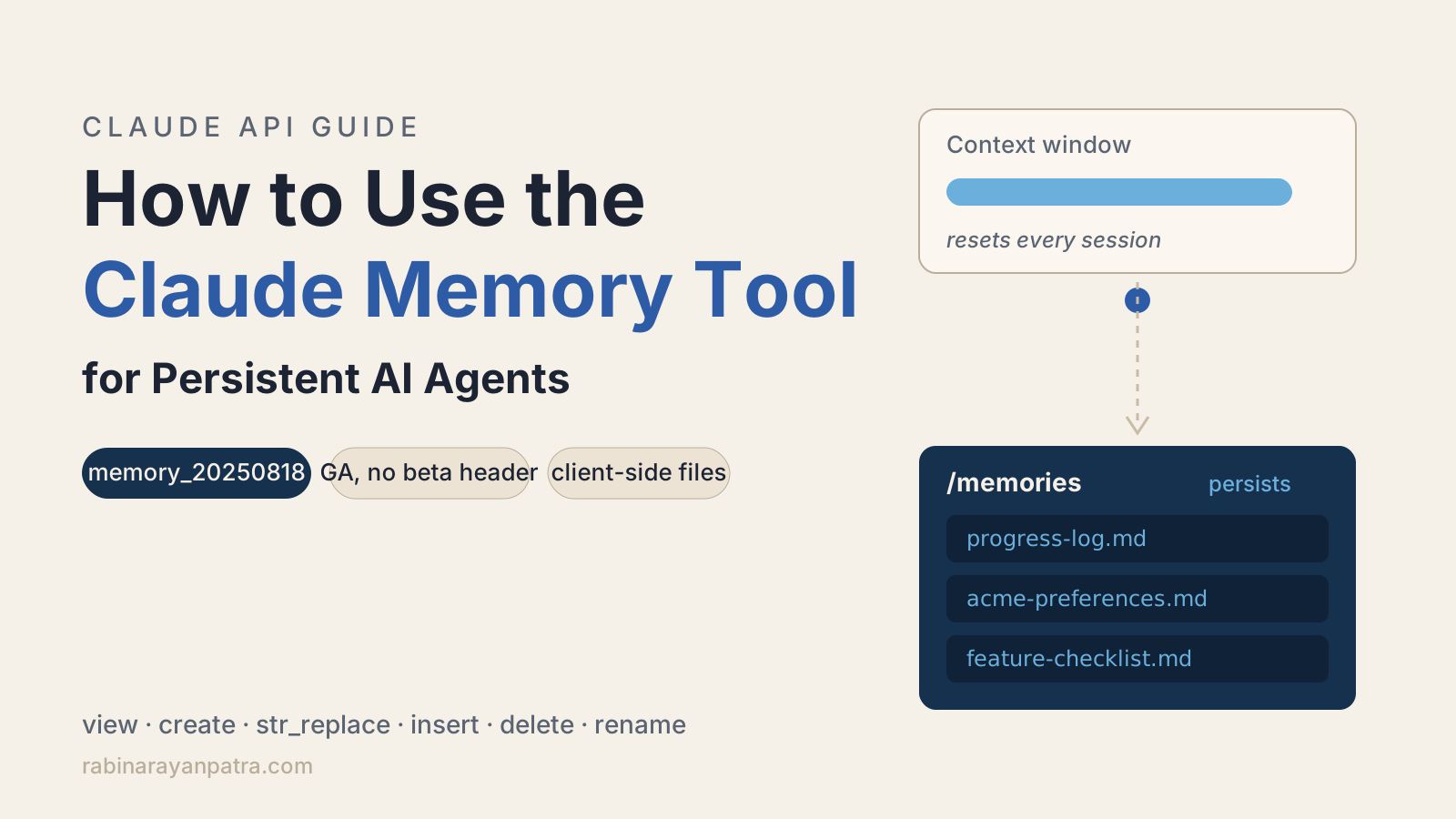

Every agent I have built eventually hits the same wall. The context window ends, the session dies, and everything the agent learned dies with it. The next session starts from zero, re-reads the same files, and rediscovers the same facts I already paid tokens for last week.
The Claude memory tool is Anthropic's answer to that, and I have been running the same pattern daily on my own automation for months: agents that write what they learn into plain files and read them back next session. In this guide I will show you how the memory tool works under the hood, how to enable it, how to implement a production TypeScript handler, the path traversal trap you must close before shipping, and when to combine memory with context editing or compaction.
What is the Claude memory tool?
The Claude memory tool is an Anthropic-provided tool that lets Claude store and retrieve information across conversations in a directory of memory files, so an agent can build up knowledge over time without keeping everything in the context window. Claude can create, read, update, and delete files under a /memories directory, and those files persist between sessions.
Three facts set it apart from most of the memory frameworks floating around:
- It is client-side. Claude only requests file operations. Your application executes them and controls where the data lives. Anthropic never stores your memory files.
- It is generally available. No beta header. You enable it with a single
toolsentry, and it works on all Claude 4 and later models. - The model already knows how to use it. When the tool is present, the API automatically injects a memory protocol into the system prompt. You do not write "check your notes first" instructions yourself.
That injected protocol is worth reading once, because it explains the behavior you will observe:
IMPORTANT: ALWAYS VIEW YOUR MEMORY DIRECTORY BEFORE DOING ANYTHING ELSE.
MEMORY PROTOCOL:
1. Use the `view` command of your `memory` tool to check for earlier progress.
2. ... (work on the task) ...
   - As you make progress, record status / progress / thoughts etc in your memory.
ASSUME INTERRUPTION: Your context window might be reset at any moment, so you
risk losing any progress that is not recorded in your memory directory."Assume interruption" is the core idea. The model treats its context window as disposable and the memory directory as the durable record. That is exactly how I run my own agents, and it is the pattern Anthropic describes in its context engineering guide: record what you learn in files, load it back just in time, keep the active context focused on the current task.
How does the memory tool work under the hood?
The memory tool works as a standard tool-use round trip: Claude sends a tool_use block requesting a memory operation, your application executes it against storage you control, and you return the result in a tool_result block so Claude can continue.
A typical first exchange looks like this. The user asks for help, Claude checks its memory before doing anything else:
{
  "type": "tool_use",
  "id": "toolu_01C4D5E6F7G8H9I0J1K2L3M4",
  "name": "memory",
  "input": { "command": "view", "path": "/memories" }
}Your handler lists the directory and replies:
{
  "type": "tool_result",
  "tool_use_id": "toolu_01C4D5E6F7G8H9I0J1K2L3M4",
  "content": "Here're the files and directories up to 2 levels deep in /memories, excluding hidden items and node_modules:\n4.0K\t/memories\n1.5K\t/memories/customer_service_guidelines.xml"
}The important detail is that /memories is a virtual prefix, not a real path. Your handler maps it onto whatever storage you want: a per-user folder, rows in Postgres, objects in S3. A later conversation continues from the same memory simply because it sends the same tools entry and your handler serves the same store. Persistence is not magic. It is your storage plus a naming convention.
Your handler must implement six commands:
| Command | Claude sends | Your handler does |
|---|---|---|
view | path, optional view_range | Return a directory listing or file contents with line numbers |
create | path, file_text | Create the file (the reference behavior errors if it exists) |
str_replace | path, old_str, optional new_str | Replace one unique occurrence, or delete it when new_str is omitted |
insert | path, insert_line, insert_text | Insert text after the given line, 0 means top of file |
delete | path | Delete a file, or a directory recursively |
rename | old_path, new_path | Move a file, error if the destination exists |
The return strings matter more than you would expect. Claude reads whatever text your tool_result contains, so the closer you stick to the documented formats (the Here's the content of {path} with line numbers: header, 6-character right-aligned line numbers, tab separators), the more reliably the model chains view into a precise str_replace.
How do you enable the memory tool in the API?
You enable the memory tool by adding a single entry to tools: {"type": "memory_20250818", "name": "memory"}. That is the entire configuration. The name must be memory, and you do not define an input schema because the schema for Anthropic-provided tools is built into the model.
import Anthropic from "@anthropic-ai/sdk";

const anthropic = new Anthropic();

const message = await anthropic.messages.create({
  model: "claude-opus-4-8",
  max_tokens: 2048,
  messages: [
    {
      role: "user",
      content: "Help me respond to this customer service ticket."
    }
  ],
  tools: [{ type: "memory_20250818", name: "memory" }]
});The same shape works in curl if you want to sanity-check it without any SDK:
curl https://api.anthropic.com/v1/messages \
  -H "x-api-key: $ANTHROPIC_API_KEY" \
  -H "anthropic-version: 2023-06-01" \
  -H "content-type: application/json" \
  -d '{
    "model": "claude-opus-4-8",
    "max_tokens": 2048,
    "messages": [{"role": "user", "content": "Help me respond to this ticket."}],
    "tools": [{"type": "memory_20250818", "name": "memory"}]
}'Two mistakes I see people make here. First, defining a custom tool named memory with their own input_schema. That creates an ordinary user-defined tool and throws away the built-in behavior and the injected memory protocol. Second, hunting for a beta header. There is none for the tool itself. The response you get back will end with a tool_use block, which brings us to the part you actually have to build.
How do you implement the memory handler in TypeScript?
The fastest path is the SDK helper: pass a storage backend to betaMemoryTool and let the tool runner drive the whole loop. The TypeScript SDK even ships a ready-made local filesystem backend, so a working persistent agent is about this much code:
import Anthropic from "@anthropic-ai/sdk";
import { betaMemoryTool } from "@anthropic-ai/sdk/helpers/beta/memory";
import { BetaLocalFilesystemMemoryTool } from "@anthropic-ai/sdk/tools/memory/node";

const client = new Anthropic();

const backend = await BetaLocalFilesystemMemoryTool.init("./memory");
const memory = betaMemoryTool(backend); // or pass your own handlers object

const runner = client.beta.messages.toolRunner({
  model: "claude-opus-4-8",
  max_tokens: 1024,
  messages: [
    {
      role: "user",
      content: "Remember that customer Acme Corp prefers email follow-ups."
    }
  ],
  tools: [memory],
  max_iterations: 10
});

const finalMessage = await runner;
console.log(finalMessage.content);Run it once and Claude writes a note under ./memory. Run a fresh process with a new question about Acme Corp and Claude views the directory, reads the note, and answers from it. That is the whole persistence story: same tool entry, same storage, continuous knowledge.
One naming quirk to know: the helper and tool runner live in the SDK's beta namespace (client.beta.messages.toolRunner, betaMemoryTool) even though the memory tool itself is GA on the Messages API. The tool is stable. The convenience wrappers are still marked beta.
When you outgrow the filesystem backend, implement the handlers object yourself and keep the same betaMemoryTool wrapper. The handlers interface mirrors the six commands:
import { betaMemoryTool, type MemoryToolHandlers } from "@anthropic-ai/sdk/helpers/beta/memory";

const handlers: MemoryToolHandlers = {
  async view(command) { /* read from your DB or object store */ },
  async create(command) { /* write a new file */ },
  async str_replace(command) { /* replace one unique occurrence */ },
  async insert(command) { /* insert after a line number */ },
  async delete(command) { /* remove file or directory */ },
  async rename(command) { /* move, never overwrite */ }
};

const memory = betaMemoryTool(handlers);This is where the real design decision lives. On my own setup, memory is a folder of small Markdown files, one fact per file, with an index file the agent loads first. Small files beat one giant notes file for the same reason small functions beat a 900-line main: the model can view the index cheaply and pull only the two files that matter for the current task. Whatever backend you choose, keep individual files small and let the directory structure carry the organization.
Before any of this touches production, though, there is one thing your handler must do that the quickstart examples skip.
How do you stop path traversal attacks on your memory directory?
You stop path traversal by validating every path in every command before executing it, because a malicious path such as /memories/../../secrets.env would otherwise reach files outside the memory directory. Your application executes whatever operation Claude requests, and Claude's input can be influenced by whatever content it just read, including a poisoned document or web page. Treat every path as untrusted.
The validation is short and worth writing carefully:
import path from "node:path";

function resolveMemoryPath(root: string, requested: string): string {
  if (!requested.startsWith("/memories")) {
    throw new Error(`Path must start with /memories, got: ${requested}`);
  }
  const relative = requested.slice("/memories".length).replace(/^\/+/, "");
  const resolved = path.resolve(root, relative);
  if (resolved !== root && !resolved.startsWith(root + path.sep)) {
    throw new Error(`Path escapes memory directory: ${requested}`);
  }
  return resolved;
}Anthropic's own checklist for this handler, straight from the memory tool documentation, comes down to five rules:
- Validate that all paths start with
/memories - Resolve paths to canonical form and verify they stay inside the memory directory
- Reject traversal sequences like
../and..\ - Watch for URL-encoded traversal such as
%2e%2e%2f - Use your language's built-in path utilities instead of string surgery where you can
Three more safeguards belong in the same handler. Cap file sizes and the number of characters a view returns, and let Claude page through long files with view_range instead. Expire memory files that have not been touched in months, because stale memory is worse than no memory. And strip secrets before writing: Claude usually refuses to write sensitive data to memory on its own, but "usually" is not a guarantee you want to ship. In a multi-user system, each user also gets their own memory root, since the tool has no built-in access control at all.
When should you use memory instead of context editing or compaction?
Use the memory tool when information must survive across separate sessions, and use context editing or compaction when a single conversation is getting too long. They are three different levers, and the confusion between them costs people real money in tokens.
| Memory tool | Context editing | Compaction | |
|---|---|---|---|
| What it does | Persists files across sessions | Clears old tool results from the conversation | Summarizes older context server-side |
| Scope | Across conversations | One conversation | One conversation |
| Where it runs | Your application | Client-side, via context_management edits | Anthropic's server |
| Status | GA, no header | Beta, context-management-2025-06-27 | Beta, compact-2026-01-12 |
For a long-running agent, the combination Anthropic recommends is memory plus compaction: compaction keeps the active context small without client-side bookkeeping, and memory preserves the decisions and facts that must survive summarization. I would add one pattern from the docs that I now use on every multi-session project, because it matches what I learned the hard way building my own pipeline. Run an initializer session that creates the memory files first: a progress log, a feature checklist, a pointer to the startup script. Every later session opens by reading those files and closes by updating the progress log. And mark a feature complete only after it is verified end to end, not when the code is written, or your progress log slowly fills with fiction.
One scoping note so you search for the right thing. This post covers the memory tool on the Messages API, where you host the storage. Anthropic's Managed Agents platform has a separate server-hosted feature called memory stores, which got its own dedicated agent-memory-2026-07-22 beta header in the July 2026 platform release, plus a research preview called Dreams that reorganizes a memory store the way sleep consolidates human memory. Same idea, different surface: if you run your own agent loop, the memory tool is the one you want.
Is the memory tool worth adding to your agent?
For any agent that runs more than one session against the same problem, yes, and the cost of finding out is about thirty lines of code. The memory tool is the rare API feature that is simultaneously GA, model-supported out of the box, and almost entirely under your control. Your storage, your validation, your retention policy.
My honest take after months of running file-based memory in production: the hard part is not the plumbing you just read, it is curation. An agent that writes everything remembers nothing useful. Prompt it to keep memory organized, expire what goes stale, and store one fact per file so retrieval stays cheap. Do that, and the difference is visible within a week: sessions stop re-deriving context and start continuing work. That is the point where an agent stops feeling like a very smart goldfish.
For more depth, see the official memory tool documentation, Anthropic's effective context engineering guide, and the Claude Platform release notes for what shipped around agent memory in July 2026. The memory tool docs also link the long-running agents case study that the multisession pattern comes from.
Keep Reading
- Claude Skills vs MCP vs Projects: Which One Should You Use?. Where memory fits among the other ways to extend Claude, with token costs for each.
- Build a Stateless MCP Server with the 2026-07-28 Spec. The other half of agent state: keeping your tool servers stateless while memory holds the knowledge.
- How to Add MCP Tools to a Slack AI Bot. A practical agent build where a memory handler like this one slots straight in.