
I run Claude Code on my Next.js portfolio every day. For the last year my routine has been the same: paste the relevant Next.js 16 doc into chat, watch the agent write something that worked in Next.js 13, correct it, paste another doc, repeat. The agent's training data was stale, the context window was precious, and I was the middleman.
Next.js 16.2 quietly killed that routine. Shipped on March 18, 2026 by Jude Gao, Jimmy Lai, Tim Neutkens and the rest of the Next.js team, the release ships AGENTS.md by default, bundles the entire Next.js docs as plain Markdown inside node_modules/next/dist/docs/, and adds an experimental @vercel/next-browser CLI that lets agents inspect a running app through shell commands. Vercel ran their internal evals and saw 100% pass rate with AGENTS.md vs 79% with the best skill-based setup. That is a big enough gap to change how I scaffold projects.
This post walks through what actually shipped, how to add it to an existing project, and what I changed in my own workflow after upgrading rabinarayanpatra.com to 16.2.
What is AGENTS.md in Next.js 16.2?
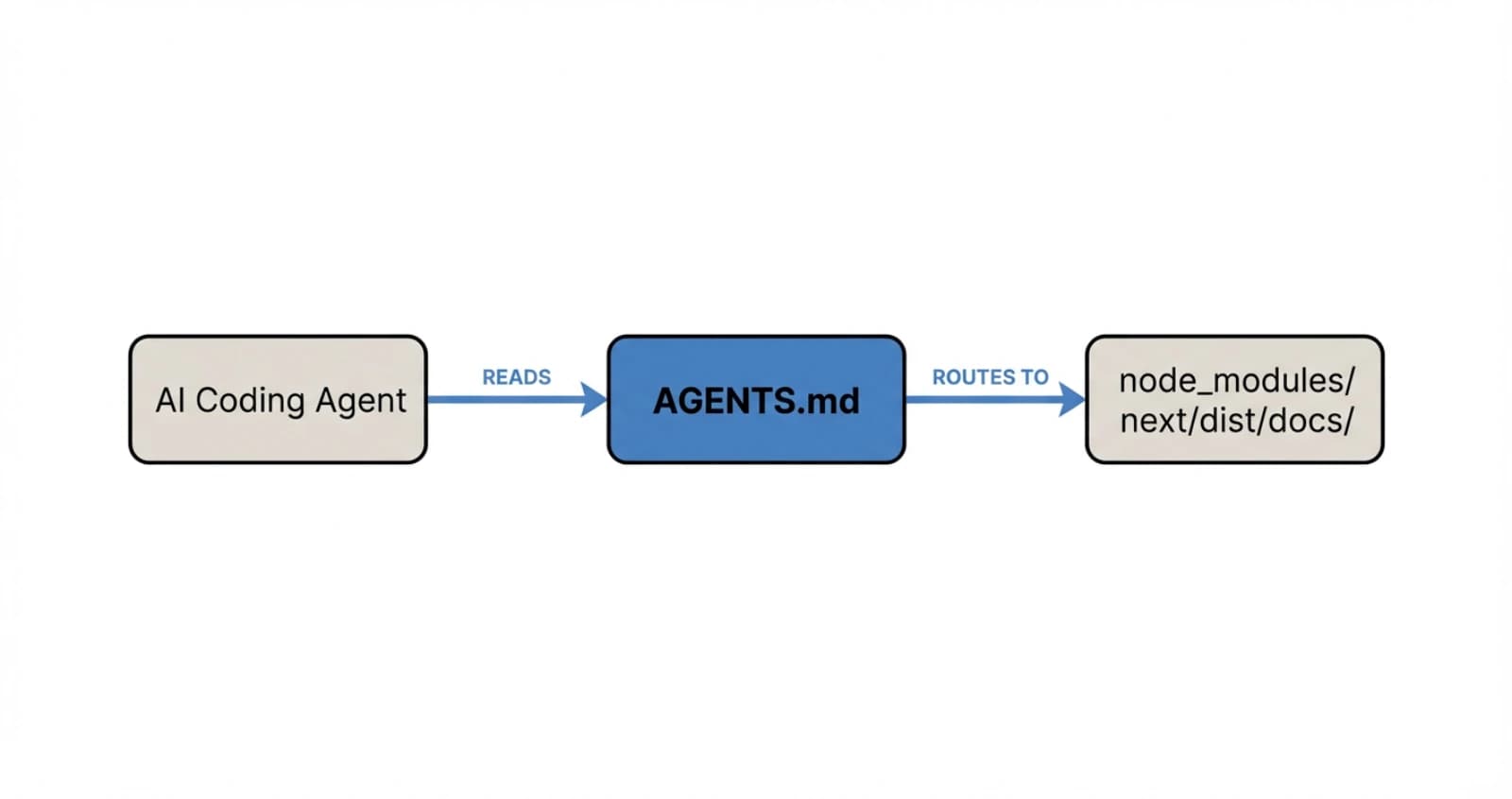
AGENTS.md is a Markdown file at the root of a Next.js project that tells AI coding agents to read the version-matched docs bundled inside node_modules/next/dist/docs/ before writing any code. It is not a skill, it is not a plugin, and it is not loaded on demand. It is always-on context that any agent respecting the AGENTS.md convention will pick up at the start of every turn.
The default file that create-next-app generates is small. Here is the shape of it:
<!-- BEGIN:nextjs-agent-rules -->

# Next.js: ALWAYS read docs before coding

Before any Next.js work, find and read the relevant doc in `node_modules/next/dist/docs/`. Your training data is outdated. The docs are the source of truth.

<!-- END:nextjs-agent-rules -->The BEGIN and END comment markers delimit the Next.js-managed section. Future codemods will only rewrite what is inside those markers, so anything you add outside stays yours. That is a small design choice with a big payoff, because it means you can keep your own agent rules next to the framework's without fighting merge conflicts.
The second piece is the bundled docs themselves. The next npm package now ships the full doc tree as plain Markdown files. Open node_modules/next/dist/docs/ in your editor and you will see the same content as nextjs.org, organized by section. A compressed index file is also shipped at around 8 KB, an 80% reduction from the raw 40 KB of full docs, which is what the agent reads first to find the right file to pull into context.
Third, on projects already set up for Claude Code, there is a tiny convention link:
@AGENTS.mdThe @ directive tells Claude Code to include the contents of AGENTS.md whenever it loads CLAUDE.md. So the bootstrap chain becomes CLAUDE.md pulls in AGENTS.md, AGENTS.md tells the agent to read node_modules/next/dist/docs/ whenever Next.js work is happening, and the agent writes code against the real 16.2 API rather than a memory of Next.js 13.
How do you add AGENTS.md to an existing Next.js project?
On Next.js 16.2 or later, you already have the docs on disk. You just need to create the two files yourself or let the codemod do it. The codemod is the faster path:
npx @next/codemod@latest agents-mdThat scaffolds AGENTS.md with the managed directive block and creates or updates CLAUDE.md with the @AGENTS.md include. I ran it on the portfolio and it was a one-second change plus two new files in the diff.
If you are on an older version of Next.js, upgrade first:
npx @next/codemod@canary upgrade latestThen re-run the agents-md codemod. The upgrade is where the doc bundle actually lands on disk, so you need 16.2 for the whole flow to work.
The part I liked most is the escape hatch. If your project already has a sprawling AGENTS.md with your own conventions, you can drop the managed block into it and keep everything else. The codemod respects existing files and only touches what is inside the markers. That matters for teams who have been writing their own agent rules for months.
One pitfall I hit on my first attempt: my .gitignore had node_modules/ ignored (obviously), but Claude Code was still happy to read from it, since it is a local file read, not a git operation. So you do not need to commit the docs, you just need the package installed. CI builds, however, need to run npm install before an agent can use the docs, which is the usual order anyway.
What does the @vercel/next-browser CLI actually do?
@vercel/next-browser is an experimental CLI that wraps a persistent Chromium instance with React DevTools pre-loaded and exposes browser data through shell commands. Instead of an agent trying to understand a DevTools panel it cannot see, the agent runs a shell command, gets back structured text, and reasons about the output.
You install it as a skill:
npx skills add vercel-labs/next-browserThen trigger it inside an agent that supports skills by typing /next-browser. Claude Code and Cursor both work. The first run boots a Chromium instance you do not see, loads React DevTools into it, and holds the session open across commands.
At release the feature set covers five buckets. Component trees with props, hooks, state, and source-mapped file locations. PPR shell analysis, which identifies what is static and what is blocking. Errors and logs from the dev server. Network activity since the last navigation, including server actions. And visual capture with screenshots or loading filmstrips.
The concrete example in the release post is my favorite, because it shows the workflow end-to-end. You have a blog post page with a visitor counter:
export async function generateStaticParams() {
  const posts = await getAllPosts();
  return posts.map((post) => ({ slug: post.slug }));
}

export default async function BlogPost({ params }) {
  const post = await getPost(params.slug);
  const views = await getVisitorCount(params.slug); // per-request

  return (
    <article>
      <h1>{post.title}</h1>
      <span>{views} views</span>
      <div>{post.content}</div>
    </article>
  );
}Every slug is enumerated ahead of time, so the post content should prerender at build. But getVisitorCount runs on every request and sits at the top level, which drags the entire page out of the static shell. The user sees a loading skeleton instead of the post content streaming in.
An agent can diagnose this by locking PPR mode and inspecting the shell:
next-browser ppr lock
next-browser goto /blog/helloWith PPR locked, only the static shell renders. In this case the shell is the loading skeleton, because nothing from the page made it in. Running ppr unlock gives the agent a structured report:
# PPR Shell Analysis
# 1 dynamic hole, 1 static

blocked by:
  - getVisitorCount (server-fetch)
    owner: BlogPost at app/blog/[slug]/page.tsx:5
next step: Push the fetch into a smaller Suspense leafThe agent now knows what the blocker is, where it lives, and what to do. It wraps the counter in a Suspense boundary:
export default async function BlogPost({ params }) {
  const post = await getPost(params.slug);

  return (
    <article>
      <h1>{post.title}</h1>
      <Suspense fallback={<span>... views</span>}>
        <VisitorCount slug={params.slug} />
      </Suspense>
      <div>{post.content}</div>
    </article>
  );
}Run ppr lock again and the shell has grown. The post content prerenders instantly, and only the view count falls back to the Suspense placeholder. The agent did that without ever opening a browser window.
The thing I keep coming back to is that the CLI is designed around one-shot commands against a persistent session. That matches how LLM tool-calling works today. The agent does not manage browser state, the CLI does. The agent just asks questions and parses replies, which is exactly the interaction pattern that works for a model.
How does the dev server lock file help AI agents?
Next.js 16.2 writes the running dev server's PID, port, and URL into .next/dev/lock. When a second next dev starts in the same directory, Next.js reads the lock file and prints an actionable error instead of a generic port-conflict message:
Error: Another next dev server is already running.

- Local:        http://localhost:3000
- PID:          12345
- Dir:          /path/to/project
- Log:          .next/dev/logs/next-development.log

Run kill 12345 to stop it.On paper this is quality-of-life for humans. In practice, this is the single change that saves me the most time with Claude Code.
Before 16.2, my workflow was: I start the dev server in a pane, Claude Code spawns its own next dev to check something, the command hangs because port 3000 is taken, Claude Code retries on another port, I get a second server I do not want. Now the agent gets a clean error, a PID to kill, a URL to connect to, and a log path to tail. It makes the right call the first time.
The lock file also prevents two next build processes from running at once, which could otherwise corrupt build artifacts. That is a genuine bug I have seen in CI where a re-run was queued before the first finished. Now the second run refuses to start.
How do you forward browser logs to the terminal?
By default, Next.js 16.2 forwards browser errors to the dev terminal. You do not have to switch to the browser console to see client-side errors, which is another quality-of-life win for agents who cannot open a DevTools panel at all.
The level is configurable:
const nextConfig = {
  logging: {
    browserToTerminal: true,
    // 'error': errors only (default)
    // 'warn':  warnings and errors
    // true:    all console output
    // false:   disabled
  },
};

export default nextConfig;I ran this at true for a week and it was too noisy for a typical debugging session. I rolled it back to 'warn' which is the right default for me. Errors alone is usually too narrow, because half the client-side issues I chase start as warnings that the agent would have caught earlier with a wider filter.
Pairing this with the agent DevTools is the real win. The agent gets errors in the terminal, runs next-browser for a closer look, fixes the code, and moves on. No browser console, no screenshots to interpret, no back-and-forth with me asking what the page looked like.
Why does Vercel say AGENTS.md beat skills in their evals?
The numbers from Vercel's internal eval are worth quoting straight. They tested four configurations against a suite of Next.js 16 APIs that did not exist in model training data, like 'use cache', cacheTag(), forbidden(), and proxy.ts:
| Configuration | Pass rate |
|---|---|
| Baseline (no docs) | 53% |
| Skill (default invocation) | 53% |
| Skill with explicit instructions | 79% |
| AGENTS.md docs index | 100% |
The skill with default invocation matched baseline exactly. Vercel's explanation for that is brutal: "In 56% of eval cases, the skill was never invoked." The agent did not know it needed to look something up, so it did not.
Explicit instructions pushed skills to 79%, which is a real improvement, but it took careful prompt wording to get there. Phrasing like "You MUST invoke" caused agents to anchor on the docs and miss project context. "Explore project first, then invoke skill" was better. That kind of prompt sensitivity is not something I want to maintain for a team.
AGENTS.md hit 100% across build, lint, and test eval categories. The authors called out the mental model: the goal is to shift agents "from pre-training-led reasoning to retrieval-led reasoning." Always-on context wins over on-demand retrieval because there is no decision point the agent can get wrong.
That matches my experience. The moments I lost the most time with Claude Code were the moments it was confidently wrong, using old APIs it remembered from training. It did not ping the docs because it did not know it needed to. AGENTS.md removes that failure mode by making the docs non-negotiable.
What changes did Next.js 16.2 make to rendering performance?
The agent story is the headline, but 16.2 also ships a big performance jump that is easy to miss. The team landed a change in React (PR #35776) that replaces JSON.parse with a reviver callback with JSON.parse followed by a recursive walk in pure JavaScript. The result is up to 350% faster RSC payload deserialization and 25% to 60% faster real-world server rendering.
The root cause is a V8 quirk. JSON.parse with a reviver crosses the C++/JavaScript boundary once per key-value pair, and even a no-op reviver makes parsing around 4x slower than without one. Replacing that with a two-step parse-then-walk eliminates the per-key cost.
The measured numbers are the kind of data I trust because they come from real apps:
| Workload | Before | After | Speedup |
|---|---|---|---|
| 1000-item Server Component table | 19ms | 15ms | 26% |
| Server Component with nested Suspense | 80ms | 60ms | 33% |
| Payload CMS homepage | 43ms | 32ms | 34% |
| Payload CMS with rich text | 52ms | 33ms | 60% |
You do not need to change any code. Upgrade to 16.2 and react@latest and the speedup lands. The heavier your RSC payload, the bigger the win, which is why the rich-text case hits 60%.
Next.js 16.2 also makes ImageResponse 2x faster for basic images and up to 20x faster for complex ones, with the default font switched from Noto Sans to Geist Sans. Dev startup is around 87% faster than 16.1 on the default application, so the time between next dev and a ready localhost shrank noticeably on my machine.
Does AGENTS.md replace Claude Code skills entirely?
No, and I do not think it should. AGENTS.md and skills solve different problems.
AGENTS.md is for always-on framework context. Your agent needs to know Next.js 16 every time it writes a Next.js component. That is not an on-demand concern, it is a default concern. Putting it in AGENTS.md removes the decision point about whether to fetch the docs, which is exactly the decision agents are bad at.
Skills are for scoped, opt-in capabilities. A skill that runs a specific CLI, calls a private API, or triggers a deploy is something you want the agent to invoke deliberately. The decision point is the feature. You do not want the agent triggering your prod deploy on every turn.
The Vercel team made the right call putting framework docs into AGENTS.md and keeping the next-browser debugger as a skill you trigger with /next-browser. The debugger is a scoped capability. The framework docs are ambient context. Matching each tool to the right mechanism is the actual lesson here.
My working rule, after a week of running both on the portfolio: if your agent should consult it every time, put it in AGENTS.md. If your agent should consult it sometimes, make it a skill.
What does this mean for the next year of framework design?
Next.js 16.2 is the first mainstream framework release where the primary design target is an AI coding agent, not a human developer. The default scaffolding exports a file the human may never read. The docs are shipped as Markdown because that is what parses cleanly for a model. The dev server writes a lock file so another process can recover without a human. The experimental DevTools are a shell command interface because that is what LLMs can drive.
This is not a future-looking take. It is already in create-next-app@latest. And the concrete UX win for me was small but sharp: I stopped pasting docs into chat. That one behavior change saved me an hour a week. Scaled across a team of developers all running agents all day, the time savings compound fast.
The open question is how many frameworks follow. Spring, FastAPI, Rails, Django, Laravel, every major framework has the same training-data-staleness problem Next.js just solved. I expect the next wave of releases to ship their own AGENTS.md conventions, bundled docs, and agent-friendly CLI wrappers. Vercel's eval numbers make the business case too strong to ignore.
For more on this release, see the Next.js 16.2 blog post, the Next.js 16.2 AI Improvements post, and Vercel's AGENTS.md outperforms skills eval writeup. The RSC payload perf change is React PR #35776 if you want to read the actual diff.
Keep Reading
- Building a Modern Docs Generator with Next.js 16. Where I first went deep on Next.js 16's App Router and how I think about docs infrastructure.
- Hello Proxy in TypeScript and Next.js 16. The middleware/proxy rename that landed in 16.0, relevant background for anything using
proxy.ts. - Replacing useEffect Data Fetching with Server Actions. Server-side patterns that pair naturally with the 16.2 rendering improvements.
- Vercel AI Gateway Deep Dive. The other side of the Vercel AI story, if you want the provider routing and observability angle.