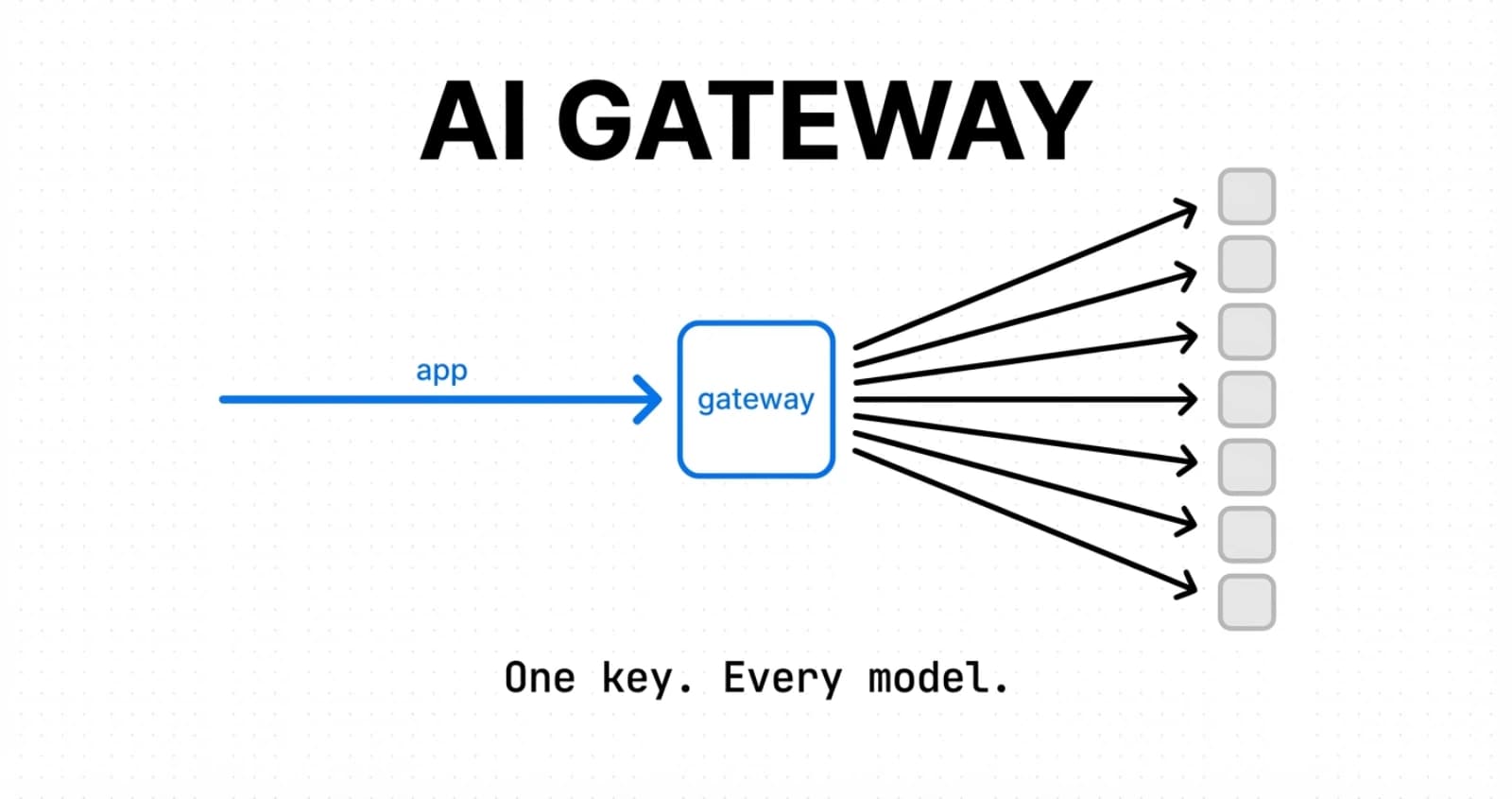

I spent most of 2024 juggling four SDKs: OpenAI, Anthropic, Google, and one for a fine-tuned Llama endpoint. Four sets of keys. Four billing dashboards. Four provider outages that each took down a feature.
Vercel AI Gateway replaced all four. One key. One endpoint. Forty providers behind it.
The short pitch is boring: proxy your LLM calls through a single URL. The reason it matters is subtle. When you route through the Gateway, model swaps become string edits, provider outages become automatic failovers, and cost tracking stops being a spreadsheet. I have been running production traffic through it for six months and I want to show you exactly how it is wired, not just the marketing version.
This post walks through the Gateway with AI SDK v6 code: the first request, provider routing, BYOK, observability, and pricing. I will also cover what changed in April 2026, because two of those changes are the reason I stopped recommending direct provider SDKs for new projects.
What is the Vercel AI Gateway?
Vercel AI Gateway is a unified HTTP API that proxies requests to hundreds of AI models from different providers using a single endpoint and a single API key. You call it with the standard AI SDK, OpenAI SDK, or Anthropic SDK, and Vercel forwards the request to the right provider underneath.
The base URL is https://ai-gateway.vercel.sh/v1. Authentication is an AI_GATEWAY_API_KEY bearer token, or Vercel OIDC when you deploy the same app to Vercel.
The model string format is provider/model. So anthropic/claude-opus-4.6, openai/gpt-5.4, google/gemini-3.1-pro, xai/grok-4.1-fast-non-reasoning. You change provider by editing the string. No new SDK install. No new env var. That is the whole idea.
Under the hood, Vercel maintains system credentials with each provider, pools them for reliability, and picks which provider handles your request based on uptime, latency, and the preferences you set. If one provider is slow or down, the Gateway retries against another that can serve the same model. For models like Claude that exist on multiple clouds (direct from Anthropic, Bedrock, Vertex), you can route to any of them without changing the code.
The provider list as of April 2026 covers 40+ organizations: Alibaba, Anthropic, Azure, Baseten, Amazon Bedrock, Black Forest Labs, ByteDance, Cerebras, Cohere, DeepInfra, DeepSeek, Fireworks, Google, Groq, Inception, Kling AI, MiniMax, Mistral, Moonshot AI, Novita, OpenAI, Perplexity, Recraft, SambaNova, Together AI, Vercel, Google Vertex AI, Voyage AI, xAI, Z.ai, and more. New ones show up roughly every week.
One important nuance: AI Gateway is not a new inference layer. Your traffic still ends up at OpenAI, Anthropic, or wherever. Vercel sits in the middle, adds routing and observability, and charges you the exact provider list price with no markup.
Why would I use the AI Gateway instead of calling providers directly?
You use the AI Gateway when you want model portability, automatic failover, and unified billing without building that infrastructure yourself. You skip it when you need a niche provider feature that is not yet surfaced through the Gateway.
Here are the real benefits I have measured on my own projects.
Model swaps become one-line edits
Before: to move a prompt from Claude Opus to GPT-5.4, I had to swap packages, rewrite the client init, change the messages shape, change how I extracted the response text, and sometimes rewrite the streaming logic. Maybe 15-40 lines of diff per swap.
After: the model string changes. Everything else stays.
// Was Claude
const result = streamText({
  model: 'anthropic/claude-opus-4.6',
  prompt,
});

// Now GPT-5.4
const result = streamText({
  model: 'openai/gpt-5.4',
  prompt,
});That is the whole change. The streaming API, the token usage API, the error shapes, the tool-calling format, all normalized by the AI SDK on top of the Gateway.
Automatic provider failover
Every LLM provider has outages. OpenAI has had them. Anthropic has had them. Groq has had them. When your app depends on one provider, their outage is your outage.
With the Gateway, the fallback is built in. For models hosted by multiple providers (Claude via Anthropic and Bedrock, Llama via Groq and Together, Gemini via Google and Vertex), you set a preference order and the Gateway handles the rest. If provider A times out or errors, provider B takes the request.
One bill, one dashboard
The spend view in the Gateway dashboard shows total cost, cost by model, cost by project, and cost by API key. Four providers, one invoice. I used to spend the last Monday of every month reconciling four billing pages. Now I look at one number.
Zero markup pricing
This is the one that always surprises people. Vercel does not add a fee on top of provider token prices. The free tier is $5 per month (starts when you first call the Gateway), the paid tier is pay-as-you-go at provider list price. Even BYOK is zero markup, because your tokens go through your own provider contract.
The obvious catch: you still need a positive AI Gateway credits balance because if your BYOK credentials fail, the Gateway falls back to its system credentials and charges against your Vercel balance. That fallback is a feature, not a trap.
How do I make my first request through the AI Gateway?
You make your first request by installing the ai package, setting AI_GATEWAY_API_KEY in your environment, and calling streamText or generateText with a 'provider/model' string.
Here is the shortest useful example for a Next.js App Router API route.
pnpm add aiAdd your key to .env.local:
AI_GATEWAY_API_KEY=vck_your_key_hereThen a basic streaming route at app/api/chat/route.ts:
import { streamText } from 'ai';

export async function POST(request: Request) {
  const { prompt } = await request.json();

  const result = streamText({
    model: 'openai/gpt-5.4',
    prompt,
  });

  return result.toUIMessageStreamResponse();
}That is it. No client init, no base URL, no provider package. The AI SDK detects AI_GATEWAY_API_KEY and hits https://ai-gateway.vercel.sh/v1 on your behalf.
For a non-streaming call:
import { generateText } from 'ai';

export async function POST(request: Request) {
  const { prompt } = await request.json();

  const { text, usage } = await generateText({
    model: 'anthropic/claude-opus-4.6',
    prompt,
  });

  return Response.json({ text, usage });
}Using the OpenAI or Anthropic SDKs directly
If you already have code written against the OpenAI or Anthropic TypeScript SDKs, you do not need to switch to the AI SDK. You can point those SDKs at the Gateway and keep shipping:
import OpenAI from 'openai';

const client = new OpenAI({
  apiKey: process.env.AI_GATEWAY_API_KEY,
  baseURL: 'https://ai-gateway.vercel.sh/v1',
});

const response = await client.chat.completions.create({
  model: 'anthropic/claude-opus-4.6',
  messages: [{ role: 'user', content: 'Write a haiku about QUIC.' }],
});Notice the model: the OpenAI SDK is talking to Claude through the Gateway. Any model string from the Gateway's catalog works, regardless of which SDK sent the request. The Anthropic SDK works the same way: set baseURL: 'https://ai-gateway.vercel.sh' and it is routed.
Deploying on Vercel gets OIDC for free
When your app is deployed on Vercel, the AI SDK automatically picks up a short-lived OIDC token instead of needing AI_GATEWAY_API_KEY. That means you can remove the key from production environment variables and let Vercel handle authentication between your project and the Gateway. In dev you still use the key. I leave it in .env.local and delete it from the Vercel project settings once the preview deploys work.
How do I pick which provider handles a model?
You pick providers with providerOptions.gateway using order, only, or sort. Each controls routing in a different way, and you can combine them.
order: a preference list
const result = streamText({
  model: 'anthropic/claude-opus-4.6',
  prompt,
  providerOptions: {
    gateway: {
      order: ['bedrock', 'anthropic'],
    },
  },
});This says: try Bedrock first. If Bedrock is down or returns an error, try Anthropic. You get the same Claude model either way, but the first-choice provider dictates pricing and latency. I use this when a model is cheaper on one provider but less reliable.
only: a hard allowlist
providerOptions: {
  gateway: {
    only: ['anthropic', 'bedrock'],
  },
},only restricts the set of providers the Gateway may use. Other providers that also serve this model are excluded entirely. This matters for compliance: if your contract says Claude traffic goes through Anthropic directly or through AWS Bedrock but not through Vertex, only enforces that.
sort: rank by cost, latency, or throughput
providerOptions: {
  gateway: {
    sort: 'cost', // or 'ttft' for time to first token, 'tps' for tokens per second
  },
},sort picks a provider based on a metric. cost is self-explanatory. ttft optimizes for snappy feel, which is what you want for chat UIs. tps optimizes for total throughput, which is what you want for batch jobs. The Gateway ranks the candidate providers by the metric and tries them in order.
Combining them
Nothing stops you from combining these with provider-specific options at the same time. Here is a realistic production snippet:
import { streamText } from 'ai';

export async function POST(request: Request) {
  const { prompt } = await request.json();

  const result = streamText({
    model: 'anthropic/claude-opus-4.6',
    prompt,
    providerOptions: {
      anthropic: {
        thinkingBudget: 0.001,
      },
      gateway: {
        order: ['bedrock', 'anthropic'],
        sort: 'ttft',
        caching: 'auto',
      },
    },
  });

  return result.toUIMessageStreamResponse();
}This says: use Claude Opus 4.6, with an extended-thinking budget of $0.001 per request, preferring Bedrock over Anthropic, and falling back to whichever is fastest to first token. Let the Gateway apply provider-appropriate caching automatically.
The caching: 'auto' flag is worth a paragraph on its own. Anthropic and a couple other providers require explicit cache markers to benefit from prompt caching. Adding them correctly is easy to get wrong and changes per provider. auto makes the Gateway insert the right markers per provider, which on a big system prompt can cut cost by 50-80%. I turn it on by default.
How does Bring Your Own Key work with the Gateway?
BYOK lets you route Gateway requests through your own provider credentials instead of Vercel's pooled system credentials, with zero markup on tokens and automatic fallback if your key fails.
The two reasons to use BYOK are: you have provider credits you want to burn, or you have a private-network or regional requirement that only your own account satisfies.
Team-level BYOK
The default setup is in the dashboard. Go to AI Gateway, Bring Your Own Key, pick a provider, paste your key, test it, enable it. Done. Every request for that provider now uses your key. If your key fails, the Gateway retries with system credentials and charges your AI Gateway balance.
Request-scoped BYOK
For more granular control, pass credentials per request:
import type { GatewayProviderOptions } from '@ai-sdk/gateway';
import { generateText } from 'ai';

const { text } = await generateText({
  model: 'anthropic/claude-opus-4.6',
  prompt: 'Write a limerick about QUIC.',
  providerOptions: {
    gateway: {
      byok: {
        anthropic: [{ apiKey: process.env.CUSTOMER_ANTHROPIC_KEY }],
      },
    } satisfies GatewayProviderOptions,
  },
});Each provider has a different credential shape.
| Provider | Credential |
|---|---|
| Anthropic | { apiKey } |
| OpenAI | { apiKey } |
| Azure | { apiKey, resourceName } |
| Vertex | { project, location, googleCredentials: { privateKey, clientEmail } } |
| Bedrock | { accessKeyId, secretAccessKey, region? } |
You can pass multiple credentials per provider, and the Gateway tries them in order. This is how you do per-tenant isolation in a multi-customer app: each tenant gets their own key, their usage gets billed to their account, and the Gateway still handles failover.
Why it matters
The BYOK design is the first one I have seen that does not punish you for bringing your own key. Most proxies charge a "markup" on BYOK requests because they think you should pay for their infrastructure. Vercel charges zero. The only balance you need is a small AI Gateway credits cushion to cover the fallback path if your credentials fail. That is it.
I pair this with AI Gateway for Claude Code subscribers for internal tooling, where I want traceability but also want to keep using my own Anthropic contract.
What does observability look like in the Gateway dashboard?
The Gateway dashboard gives you four metrics out of the box: requests by model, time to first token, input and output token counts, and spend, plus a detailed request log with filters for project, API key, and time range.
The metrics I actually watch:
Requests by model tells me which models are getting traffic. When I roll out a new model behind a feature flag, this chart confirms the flag is actually routing traffic to it.
Time to first token (TTFT) is the single most important latency metric for chat UIs. Users do not care about total completion time, they care about how long they stare at an empty chat before text starts appearing. When TTFT drifts up, I check the provider routing and sometimes add a sort: 'ttft' hint.
Input and output token counts catch the classic failure mode where a prompt accidentally includes an entire document. I have caught two bugs this way that were silently costing me 10x expected tokens.
Spend is self-explanatory. The chart shows spend over time, broken down by model. The first time I saw Claude Opus spend pass my Sonnet spend I knew I had a prompt-routing bug.
Request log
The request log is the debug tool. Every request is logged with full metadata: model, provider, token count, cost, duration, TTFT, project, API key, error if any. You can filter, sort, and export.
When a user reports a hallucination or a tool-calling failure, I grab the request ID from client logs, paste it into the Gateway log filter, and see exactly which provider handled it, how long it took, and what the token usage was. That three-minute workflow used to be a two-hour archaeology dig across four provider dashboards.
Retention and deeper dashboards
The default retention is limited. For longer history and deeper dashboards, you need Vercel's Observability Plus add-on. I have not needed it for my projects yet, but for anyone running production traffic at scale, it is the right move.
How much does the AI Gateway cost?
The AI Gateway costs exactly what the provider charges, with no markup from Vercel. Free tier is $5 per month in credits, paid tier is pay-as-you-go, and BYOK has zero markup too.
The exact pricing model:
- New Vercel team accounts get $5 per month in AI Gateway credits. This is a monthly allowance and does not accumulate.
- Once you buy any credits, you are on the paid tier. The monthly free $5 stops. Paid credits do not expire.
- Every request deducts from your balance at the provider's list price. You can see per-model pricing in the Gateway dashboard and at
vercel.com/ai-gateway/models. - BYOK requests charge your provider account directly, not Vercel. But if your BYOK credentials fail, the fallback to Vercel system credentials gets billed against your Gateway balance.
What is not included: payment processing fees may apply on top-ups. Observability Plus is a separate add-on if you need it.
What does this actually look like in practice?
I run a mid-sized Next.js app with an AI chat feature. Volume is around 8,000 chat messages per day, mostly Claude Sonnet with some Opus for hard questions. My average monthly Gateway bill is roughly $180. That is exactly what Anthropic would have charged me direct. The Gateway added zero dollars on top.
Compare that to the two paid "AI gateway" products I used in 2024: one charged a 15% markup, the other charged a flat $99/month plus usage. Vercel's pricing model is the reason I moved my traffic.
What you are paying for
You are not paying Vercel for tokens. You are paying them for the routing, the failover, the observability, the dashboard, and the unified billing. Their model is: make the free tier generous enough that small apps just use it, and let bigger apps pay for tokens at cost while Vercel up-sells Observability Plus and other infrastructure pieces. If you ship on Vercel anyway, the Gateway adds nothing to the bill you were already going to pay.
What changed in the Vercel AI Gateway in April 2026?
April 2026 brought three updates worth calling out: team-wide Zero Data Retention routing, the addition of Qwen 3.6 Plus, and the launch of ByteDance's Seedance 2.0 video model through the Gateway.
Team-wide Zero Data Retention
The April 6, 2026 changelog added a team-level toggle for Zero Data Retention. When it is on, the Gateway only routes requests to providers that have a ZDR agreement with Vercel. Anthropic, OpenAI, Google, and more are covered as of April. If you flip it on and then try to route to a provider without ZDR, the request is rejected at the Gateway layer before it touches the provider.
For anyone dealing with regulated data, this is the setting that makes the Gateway viable. Before this you had to enforce ZDR per request or per provider manually. Now it is a team-level switch. I turned it on for a healthcare-adjacent client the day it shipped.
Qwen 3.6 Plus
Qwen 3.6 Plus landed mid-April with a 1M context window, stronger agentic coding, and better tool calling. It is available via Alibaba Cloud through the Gateway. The 1M context is the headline, but in my quick testing the agentic coding was the real win: it picks up on structured instruction better than Qwen 3.5 did.
To try it:
const result = streamText({
  model: 'alibaba/qwen-3.6-plus',
  prompt,
});Seedance 2.0 video
Vercel added Seedance 2.0 from ByteDance as a Gateway-accessible video model. No separate provider account required. For anyone who has spent a weekend trying to get access to a video generation API, that is a meaningful quality-of-life improvement.
These three changes are the reason I moved the AI Gateway from "interesting" to "default" for new projects in April.
When should I not use the Vercel AI Gateway?
Skip the Gateway when you need a niche provider feature it has not surfaced yet, when you have a private-network requirement that blocks proxying, or when your app runs entirely outside the HTTP-gateway cost envelope.
Concrete cases I have run into.
A provider feature is too new. If OpenAI shipped something this morning, it can take the Gateway a few days to surface it. If you need bleeding-edge access, go direct until the Gateway catches up.
You are running inside a VPC with private provider endpoints. Some enterprises route provider traffic over private links. The Gateway is a public HTTPS proxy. For private VPC setups, you cannot route through it.
You are doing millions of requests per second. At that scale, the routing overhead (still a few ms) matters, and direct provider connections plus your own load balancer might be cheaper in engineering time than paying someone else's middleware tax. But this is a tiny fraction of teams. Almost everyone reading this is not at that scale.
You have a strong single-provider contract. If you have negotiated a volume discount with one provider and you are not using multiple, the Gateway's unified-billing feature has less value. You still get observability and the BYOK fallback, which are worth something, but the cost-arbitrage story goes away.
For literally everyone else building LLM features on top of Node, Next.js, or just HTTPS: the Gateway is the default. Start there, measure, and only pull out if a specific constraint forces it.
Where does this leave the AI stack?
The AI Gateway is part of a broader pattern I have been watching: infrastructure providers taking over the integration layer between application code and model providers. Cloudflare's Workers AI does this. AWS Bedrock does this. Vercel's Gateway is the one I like best because the SDK integration is tight and the pricing is honest.
Pair the Gateway with the AI SDK v6's tool calling and streaming primitives, wire in AI Gateway observability, and you get a production-ready LLM stack in a weekend. No glue code. No three-tier billing spreadsheet. No "which SDK am I using today" confusion.
That is the actual shift, and it is a big one. The API layer between your app and the models is standardizing. One endpoint, one shape, many providers. HTTP for the next era of software, finally.
For more on the Vercel AI Gateway, see the official AI Gateway documentation, the provider options reference, and the AI SDK documentation.
Keep Reading
- Claude Opus 4.7 API Pricing, Benchmarks & Breaking Changes 2026. The provider-side context for the
anthropic/claude-opus-4.7model string you route through the Gateway, including API pricing per million tokens and the four breaking changes since Opus 4.6. - Claude Skills vs MCP vs Projects: Which Abstraction Wins?. The other half of the AI-for-developers story: what to build on top of a model, not just how to call one.
- Google Antigravity: The New AI Stack. How the hyperscalers are positioning their AI infrastructure, and why it matters for your model choices.
- Hello Proxy: TypeScript Proxy in Next.js 16. If you are moving middleware to the new Proxy convention, this pairs well with routing API requests through the Gateway.