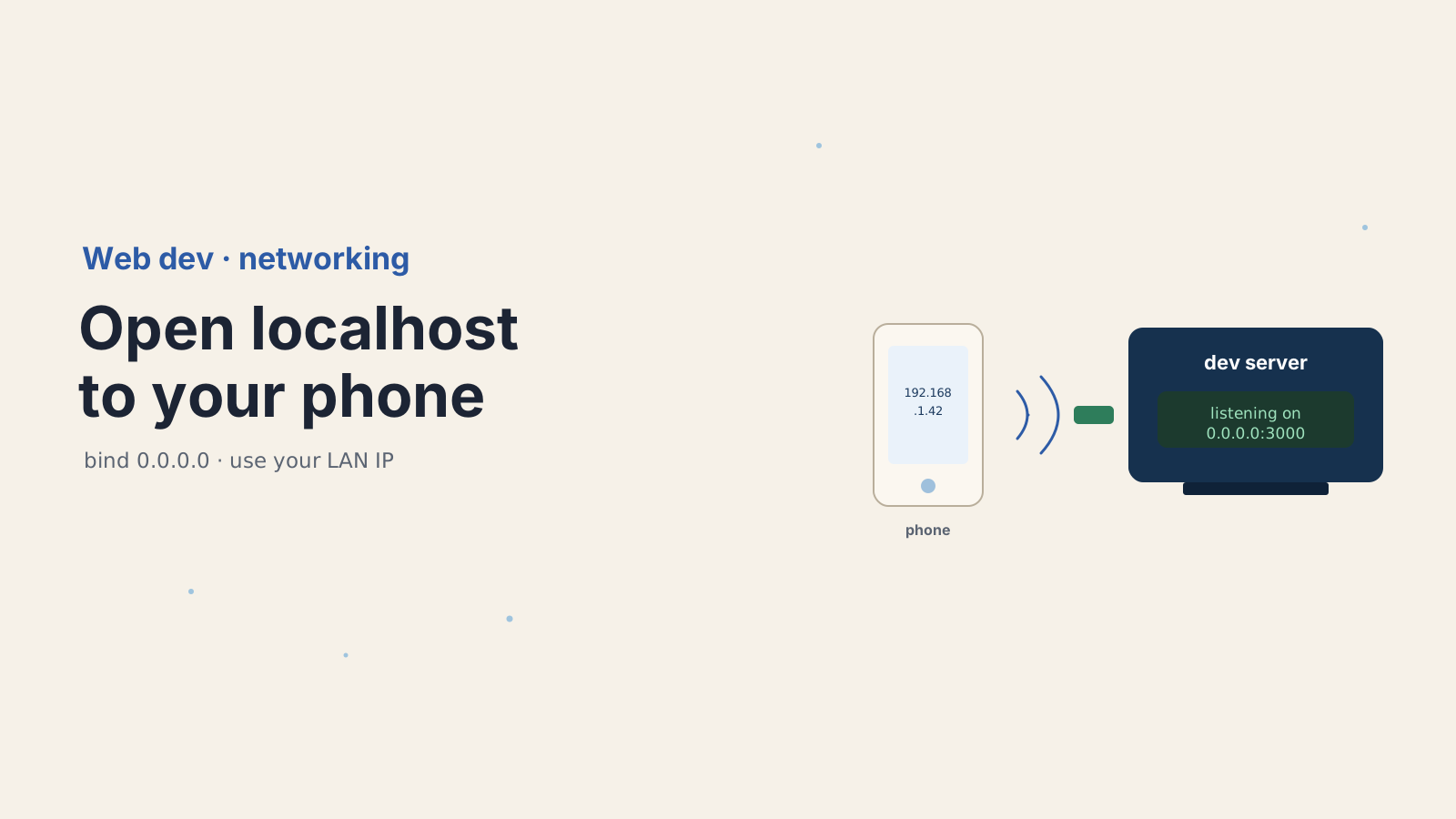

It happens to every developer. Your app runs perfectly at http://localhost:3000 on your laptop, you grab your phone to check the mobile layout, type the same address, and get connection refused. Nothing is broken. The address is just lying to you.
localhost on your phone does not mean your laptop. It means your phone. That one fact is behind almost every "I can't open my dev server on my phone" question, and once you understand it, the fix is three small steps.
Here's why 127.0.0.1 keeps your phone out, what to bind instead, and how to get the page loading on a real device in a minute.
Why can't your phone reach localhost on your computer?
Because localhost and 127.0.0.1 are loopback addresses, and loopback traffic never leaves the device it started on. When anything connects to 127.0.0.1, the operating system routes it straight back into the same machine through a virtual loopback interface. The packet never touches the network card, never reaches the Wi-Fi, never goes anywhere.
So when you type localhost:3000 on your phone, the phone does exactly what your laptop does: it loops back to itself. Your phone is not running a dev server on port 3000, so it answers with connection refused. The request was never going to your laptop in the first place.
This is by design and it is genuinely useful. Loopback gives every machine a private, always-available address that no firewall or network outage can break. It is why localhost is the safe default for development. But "safe and private" is the opposite of "reachable from another device," which is exactly what you now want.
What do 127.0.0.1, 0.0.0.0, and your LAN IP actually mean?
These three addresses do different jobs, and mixing them up is the root of the confusion. One is a destination, one is a bind directive, and one is your real address on the network.
127.0.0.1(loopback) is a destination. You connect to it, and it always means "this same machine." Your phone has its own127.0.0.1, your laptop has its own, and they are not related.0.0.0.0(wildcard) is a bind address, not a destination. You never point a browser at it. A server that binds to0.0.0.0is saying "accept connections arriving on any of my network interfaces," which includes loopback and your Wi-Fi or Ethernet.- Your LAN IP (something like
192.168.1.42) is your laptop's actual address on the local network. This is what your phone must connect to.
Put together: you bind the server to 0.0.0.0 so it listens on the LAN, then you connect the phone to your laptop's LAN IP. A server bound only to 127.0.0.1 can never answer a request that came in over Wi-Fi, because that request did not arrive on the loopback interface. That single mismatch is the whole bug.
How do you bind your dev server to all interfaces?
Tell your dev server to listen on 0.0.0.0 instead of localhost. How you do that depends on the tool, and the defaults are not consistent, which is worth knowing.
Vite binds to localhost by default, so a fresh Vite app is invisible to your phone until you expose it:
# expose Vite on all interfaces (0.0.0.0)
npm run dev -- --hostOr set it in the config so you do not have to remember the flag:
// vite.config.js
export default defineConfig({
  server: { host: true }, // same as --host, listens on 0.0.0.0
});Next.js is the opposite. next dev already defaults its hostname to 0.0.0.0, so it is reachable on the LAN out of the box, and a firewall or the wrong IP is usually what is blocking you, not the bind. You can still set it explicitly:
next dev -H 0.0.0.0 -p 3000Other stacks follow the same idea. Flask binds to loopback by default and needs the flag, while a raw Node server takes the host as an argument:
flask run --host=0.0.0.0// bind all interfaces, not just localhost
app.listen(3000, "0.0.0.0");The rule across all of them: if your phone gets connection refused, check the bind address first. If the dev server log says it is listening on 127.0.0.1 or localhost, that is your answer.
How do you find your LAN IP and connect from the phone?
Look up your laptop's private network address, then browse to it from the phone with the port appended. Every OS has a one-liner:
# macOS (en0 is usually Wi-Fi)
ipconfig getifaddr en0

# Linux
hostname -I

# Windows (read the IPv4 Address)
ipconfigYou want the private address, which starts with 192.168., 10., or 172.16 through 172.31. Say it returns 192.168.1.42. On your phone, with both devices on the same Wi-Fi, open http://192.168.1.42:3000. That is the same dev server, reached the way it was meant to be reached: by your laptop's real address, not by a loopback alias that means something different on every device.
Good dev servers make this easier. Vite with --host and next dev both print a "Network" URL in the terminal with your LAN IP already filled in, so you can often just read it off the console instead of looking it up.
What's still blocking it after you bind to 0.0.0.0?
If the server listens on 0.0.0.0 and you are using the right LAN IP but the phone still cannot connect, four things are worth checking in order. None of them is NAT, which is a common wrong guess: two devices on the same Wi-Fi sit on the same network, so there is no NAT between them to blame.
First, confirm both devices are on the same network. A laptop on Ethernet and a phone on a guest Wi-Fi are not, and they cannot see each other. Second, check your laptop's firewall. macOS, Windows, and most Linux setups will silently drop incoming connections to a new port until you allow it, so approve the prompt or open the port for your dev server. Third, make sure you typed the LAN IP and not localhost on the phone, which sends you right back to the loopback trap. Fourth, some routers, especially guest networks and corporate Wi-Fi, turn on "AP isolation" or "client isolation," which blocks devices on the same network from talking to each other at all. If that is on, no amount of binding will help, and you need a tunnel.
When should you use a tunnel instead?
Reach for a tunnel whenever the devices are not on the same trusted network, or when you need HTTPS on the phone. A tunnel routes a public URL to your local port, so the network details stop mattering.
# expose localhost over an HTTPS URL, no bind or firewall fuss
ngrok http 3000

# or with Cloudflare
cloudflared tunnel --url http://localhost:3000There are two cases where this is the right move rather than a shortcut. The first is testing on cellular or from someone else's location, where the phone genuinely is on a different network and there is real NAT in the way; a tunnel sidesteps it entirely. The second is mobile browser features that demand a secure context. The camera, geolocation, and service workers all refuse to run outside HTTPS, and while localhost counts as secure, a plain http://192.168.x.x LAN address does not. A tunnel hands you a real HTTPS URL, so those APIs light up on the phone.
One caution: binding to 0.0.0.0 exposes your dev server to everyone on the network. That is fine on your home Wi-Fi and a bad idea at a coffee shop or a conference. On an untrusted network, prefer a tunnel with authentication over opening yourself to the whole subnet, and remember to stop the tunnel when you are done.
Why is this worth understanding once?
Because the loopback-versus-bind distinction shows up far beyond your phone. The exact same idea is why a service inside a Docker container that binds to 127.0.0.1 is unreachable from the host, why a database in one container cannot be seen by another until it listens on 0.0.0.0, and why a health check in CI times out against a server that only bound loopback. It is one of those small networking facts that quietly explains a dozen different "why can't I connect" bugs.
So the next time something local refuses a connection from somewhere else, your first question is not "is it down" but "what address did it bind to, and what address am I connecting from." Nine times out of ten, that one question is the fix.
For the details, see the Vite server.host documentation, the Next.js CLI reference, MDN on localhost and loopback, and the ngrok documentation for tunneling.
Keep Reading
- How to Set Up an SSH Tunnel for Local Database Access. The same reach-a-local-service idea, applied to databases behind a bastion.
- How to Serve a React SPA from FastAPI with app.frontend(). Once the phone can reach your server, serve the frontend from it cleanly.
- How to Measure Core Web Vitals in a Single-Page App. Now that you can test on a real device, measure what the device actually feels.