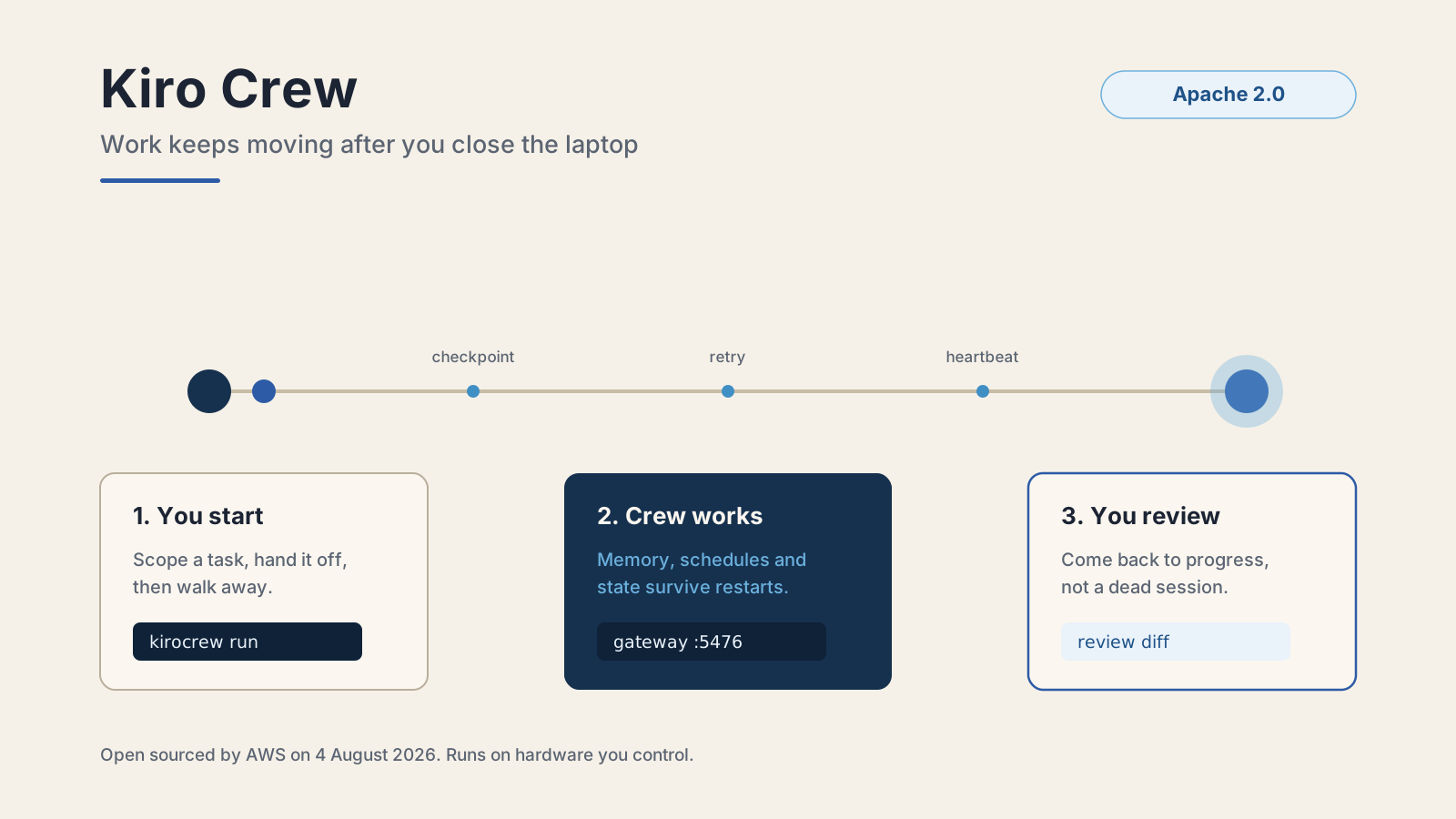

AWS open sourced Kiro Crew on August 4, 2026, and the pitch is one most of us have quietly wanted for a while: start a piece of work, close the laptop, and come back to something reviewable instead of a dead session and a cold context window.
I want to be upfront about where I sit. I work at Amazon and I have contributed to Kiro Crew. Everything below comes from the public release: the announcement post, the product page, and the Apache 2.0 repository. No internal detail, no roadmap talk. Just the setup path and the parts I think are worth slowing down on.
This is a Kiro Crew setup guide, not a review. By the end you will have a gateway running, a service that survives a reboot, and enough understanding of the sandbox to decide what you are comfortable letting it do while you sleep.
What is Kiro Crew and how is it different from a coding agent?
Kiro Crew is a persistent workspace that coordinates agents across sessions, where a normal coding agent lives and dies inside one conversation. That difference sounds small and it is not. A single-session agent forgets everything when the process exits, which means anything longer than one sitting gets restarted by hand. Crew keeps memory, schedules, approvals, and in-flight task state in a local gateway, so a job started Tuesday afternoon can still be making progress Wednesday morning.
It started inside Amazon as a side project called MeshClaw, built by three engineers who wanted to kick off work and walk away. AWS says it reached more than 39,000 Amazon builders and roughly 500 contributors in under six months of internal use before the public release.
The architecture is three pieces:
| Component | Job |
|---|---|
| Gateway | Routes messages, persists state, manages sessions, approvals, memory, and security policy |
| Agent Sessions | Isolated conversation or task contexts |
| ACP Runtime | Drives kiro-cli over the Agent Client Protocol |
Two open standards do the heavy lifting. Agent Client Protocol (ACP) is how the gateway drives and observes the agent, and Model Context Protocol (MCP) is how tools get attached. If you have read my take on why the MCP spec went stateless, the shape here will feel familiar.
What do you need before running Kiro Crew setup?
You need three things: Python 3.10 or higher, an authenticated kiro-cli, and hardware you are willing to leave running. Node.js 20 or 22+ only matters if you build the dashboard from source, so if you install a prebuilt wheel or the desktop app you can skip it entirely.
The one people miss is kiro-cli. It is the agent backend, not an optional extra, and Crew cannot do anything without it:
kiro-cli loginDo this before anything else. Skipping it produces an AcpTimeoutError: ACP prompt timed out later, which reads like a network problem and is not.
Memory search needs no setup. On first start, the in-process llama-cpp-python runtime pulls the Qwen3-Embedding-0.6B model, about 610 MB. Budget the disk and the first-run wait. Search comes back empty until that download lands, which is expected rather than broken.
One billing note that matters more for unattended work than interactive work. The software is free under Apache 2.0 and runs on your own machine, but agent inference still needs a Kiro account, and model requests from scheduled or background tasks count against your Kiro plan exactly like IDE usage. Steps that only run scripts, with no model call, cost nothing. A cron job that wakes an agent every fifteen minutes is a billing decision, not just a config line.
How do you install Kiro Crew?
Pick the install method that matches how long you intend to keep it running. There are five, and they are not interchangeable.
One-line install. Fastest path, and the right default:
curl -fsSL https://download.crew.kiro.dev/cli.sh | shThat script pins to the stable channel. You can target others:
curl -fsSL https://download.crew.kiro.dev/cli.sh | sh -s -- --channel insider
curl -fsSL https://download.crew.kiro.dev/cli.sh | sh -s -- --version 0.1.0Worth saying plainly: piping a remote script into a shell executes whatever that URL serves. It is the documented install path and the domain is AWS-operated, but if you are on a machine where that tradeoff is not acceptable, use the wheel or source path instead.
Docker, for a server you do not want to babysit:
docker run -d --name kirocrew \
  -p 127.0.0.1:5476:5476 \
  -v kirocrew-home:/home/kirocrew \
ghcr.io/kirodotdev/kirocrew:stableNote the 127.0.0.1: prefix on the port binding. Dropping it exposes the dashboard on every interface, which you do not want.
From source, if you plan to contribute or read the code:
git clone https://github.com/kirodotdev/KiroCrew.git
cd KiroCrew
make build
source .venv/bin/activateSelf-contained wheel, when you want a clean install without the Node toolchain on the target box:
make wheel
pip install dist/*.whlDesktop bundle, which embeds a Python interpreter so end users need neither Python nor npm:
make desktopThat drops a signed .dmg on macOS or an .AppImage on Linux into website/electron/dist/.
How do you verify the setup and start the gateway?
Run the wizard, then doctor, then the gateway, in that order:
kirocrew setup
kirocrew doctor
kirocrew gatewaykirocrew setup is interactive and covers agent config, workspace directory, optional Slack credentials, slash-command name, timezone, dashboard URL, the Playwright MCP server, and the macOS desktop app. Answering "n" to Slack turns off that integration and leaves the dashboard fully working, so there is no reason to wire up chat on the first pass.
Three flags narrow what it touches:
--agent-onlyinstalls agent config and skips every credential prompt--cleanrebuilds agent config from defaults and ignores what is already there--electron-onlyinstalls just the macOS desktop app
The --agent-only --clean combination is the fix for a stale MCP config. If the agent starts timing out after you have changed tools around, rebuild before you start debugging anything else.
kirocrew doctor is the command to reach for whenever something is off. It reports platform details, data home, agent config, config values, MCP servers, runtime environment, vector memory status, speech-to-text, Slack, and connectivity. Three failures cover most of what you will hit:
| Symptom | Cause | Fix |
|---|---|---|
AcpTimeoutError: ACP prompt timed out | kiro-cli missing, not logged in, or broken MCP config | Install it, run kiro-cli login, then kirocrew setup --agent-only --clean |
| Memory and knowledge search return nothing | Embedding model still downloading | Check the Vector Memory section in doctor, search upgrades itself once the model lands |
| Gateway will not start | Port already taken | kirocrew gateway --port auto |
kirocrew gateway starts the server on http://localhost:5476. It binds to loopback unless you deliberately configure otherwise, which is the correct default and worth leaving alone.
Configuration lives at ~/.kiro/crew/config.json:
{
  "agent": {
    "provider": "acp",
    "approval_mode": "interactive",
    "sandbox": "auto"
  },
  "session": {
    "timeout_secs": 1800,
    "pool_size": 2
  },
  "dashboard": {
    "bot_name": "Kiro Crew"
  }
}Edit it through kirocrew config get, set, and edit rather than by hand, so validation runs. A few environment variables override the basics: KIROCREW_HOME for the data directory, KIROCREW_PORT for the dashboard port, and KIROCREW_EMBED_MODEL_URL if you need to point the embedding download at a mirror.
How do you keep Kiro Crew running when you close your laptop?
Install it as a system service, because a foreground kirocrew gateway dies with your terminal and takes the point of the tool with it:
kirocrew service install
kirocrew service statusOn Linux this writes /etc/systemd/system/kirocrew.service and prompts for sudo. The gateway itself still runs as your user, never as root, which is the behavior you want. On macOS it writes a launchd plist instead.
Linux users on Ubuntu 23.10 or newer should expect one specific failure. Crew isolates the agent from your credentials using user and mount namespaces, and recent Ubuntu restricts unprivileged user namespaces through AppArmor. The error looks like this:
sandbox: unshare(NEWNS) failed: errno 1
kirocrew service install adds the required kirocrew-userns AppArmor profile automatically. If you are running outside systemd, invoke it yourself:
aa-exec -p kirocrew-userns -- kirocrew gatewayThe installer skips the profile on distributions where it does not apply, so Debian, Arch, RHEL, and Amazon Linux users will not see this at all.
One thing that surprised me the first time: uninstalling does not remove ~/.kiro/crew. Config, credentials, memory, and sessions all survive, and no uninstall path deletes them. That is a sensible default, but it means a "clean reinstall" is not clean unless you move the directory yourself. Back it up before you touch it.
What does the security model actually block?
Kiro Crew ships seven layers of defense, and the ones that matter for unattended work are the sandbox, the deny patterns, and the audit trail. The full set is OS sandboxing, denied command patterns, bash blocking, input and output validation, sensitive path protection, credential redaction, and signed audit logs.
Concretely, here is what you get:
- The dashboard binds to
127.0.0.1unless you configure otherwise - 137 deny patterns block destructive and exfiltration-shaped commands
- Sensitive path guards keep the agent out of protected directories
- Credential redaction strips secret-shaped environment variables and patterns from output
- Security events append to
~/.kiro/crew/security_events.jsonl - Linux uses namespaces, macOS uses Seatbelt, with standard, strict, and off modes
Optional policy files compose tightest-wins, and enterprise settings enforce caps that runtime config cannot loosen. That ordering is the right way round, and it is the detail I would check first if you are deploying this anywhere shared.
Read security_events.jsonl after your first unattended run. Not because you expect trouble, but because it is the fastest way to learn what your agent actually reached for when nobody was watching. The gap between what I assumed a task would touch and what it tried to touch was the most useful thing I learned in my first week.
The Windows situation deserves a direct warning rather than a footnote.
On Windows, Kiro Crew has no OS-level sandboxing. Because of that it refuses to spawn subprocesses by default, and the only way to change that is opting in through sandbox_allow_unsandboxed_exec. Turning that on means an unattended agent runs commands on your machine with no OS isolation between it and everything else. There is also no Windows desktop app yet, so you install from source. If you want unattended runs, put this on Linux or macOS. Use Windows for interactive work where you are approving each step.
What breaks when you walk away?
The honest answer is that autonomy shifts your work from writing code to reviewing it, and the failure modes move with it. Crew handles the mechanical parts well: checkpoints and retries carry long tasks through transient failures, heartbeat monitoring watches PRs and deploys until state changes, and corrections you make become durable lessons stored as editable Markdown.
What it cannot do is notice that the task was wrong. A well-specified job runs beautifully unattended. A vague one produces a large, confident, wrong diff that costs more to review than it would have cost to write. Scope discipline matters more here than in interactive work, because there is no midpoint where you glance at the screen and course-correct.
Two settings shape this directly. approval_mode set to interactive means you gate tool calls, which defeats overnight runs but is the right place to start. session.timeout_secs, 1800 by default, bounds how long a session can sit before it gives up. Loosen both deliberately, one at a time, once you trust a particular workflow.
If you want a gentler on-ramp, the launch Apps are scoped jobs rather than open-ended autonomy. Issue Radar triages issues and PRs, Task Runner handles bounded long-running work, DevFleets manages worktrees, and Code Review Sage weights findings by blast radius. Starting there teaches you the review rhythm without betting a repository on it. The same instinct applies to scheduling agents in CI: narrow scope first, widen only after you trust the output.
Should you set up Kiro Crew today?
If you already work with agents and keep hitting the session boundary, yes. That is the specific problem Crew solves, and it solves it in a way you can audit, since the whole thing is Apache 2.0 and runs on your hardware.
If you are new to agentic tooling, install it but keep approval_mode on interactive for a couple of weeks. Watch what it reaches for. The persistence is the feature, and persistence without understanding is how you end up reviewing a hundred commits you did not ask for.
The thing I did not expect is how much the review rhythm changes. Interactive agent work is a conversation. Unattended agent work is closer to managing a very fast, very literal contractor who never asks clarifying questions. That is a different skill, and it is worth building deliberately before you scale it up.
For more, see the Kiro Crew announcement, the Apache 2.0 source on GitHub, the install guide, and the Agent Client Protocol that Crew uses to drive agents.
Keep Reading
- Google Antigravity: Why I Think It Changes Everything. A different take on the agentic IDE idea, useful for comparing design choices.
- Claude Code Routines: Async CI Automation Just Became Real. The same scheduled-agent problem approached from the CI side.
- How to Build a Self-Hosted Slack AI Bot with any CLI Agent. Relevant if you plan to drive Crew from Slack.